

Overview
The Laps table is the raw lap-by-lap log behind every other widget: driver, tyre, lap number, lap time, and time of day, for the whole field. Reach for it to scan a session in detail, or to drag a specific lap into the Telemetry comparison widget.What It Shows
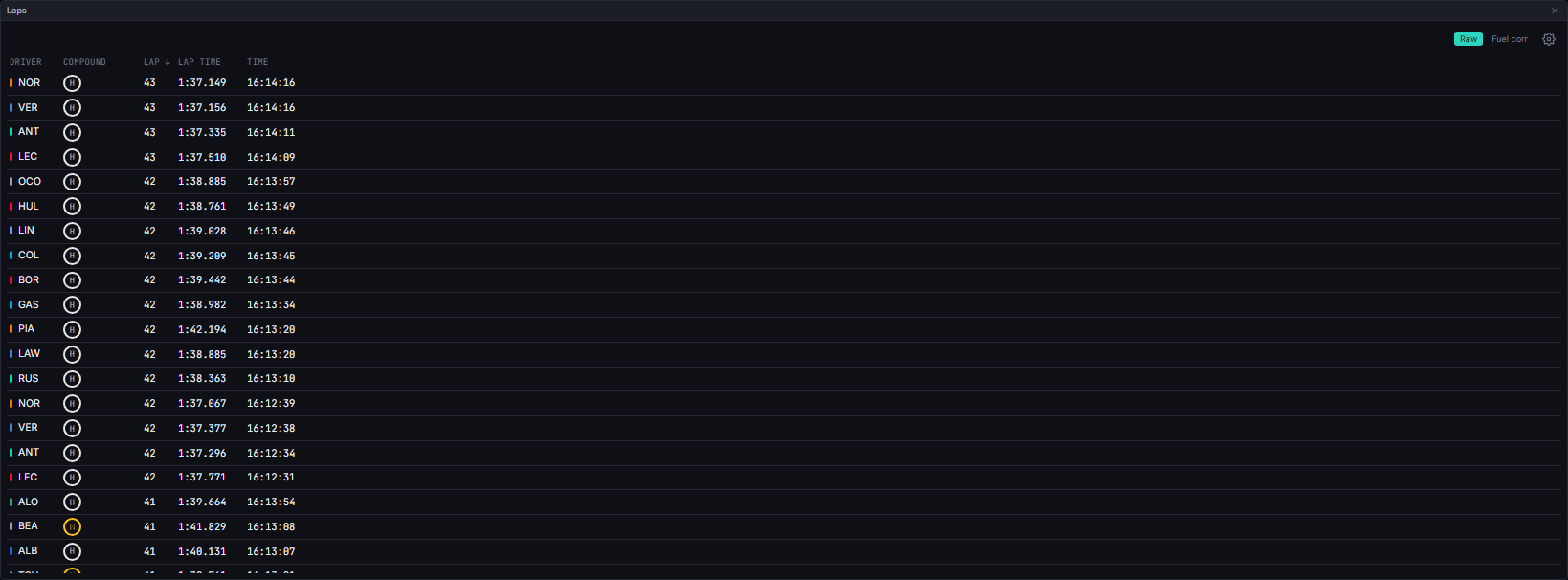
Rows arrive newest-first by time of day. Click any column header to sort by it: the first click always sorts ascending, a second click on the same column reverses it, and picking a different column resets to ascending. A lap with no recorded time always sorts last, in either direction.
One header row, two controls. The Lap time basis toggle (Raw / Fuel corr) and the filter cog share a single row above the table. The toggle swaps only the displayed lap time, never the row set or the sort order.
Filtering. The cog opens a driver and compound filter. Selecting nothing means no filter; a selection for a driver or compound absent from the current as-of rows is ignored rather than emptying the table, and Clear covers hidden selections too. While a filter hides every row the table holds its measured width, so the window does not collapse and jump back.
Interactions. Drag a row onto the Telemetry widget to load that lap’s trace, or onto the Lap Times widget to add that driver to its comparison. A lap already loaded shows a coloured left border and background tint in that lap’s colour, with a ✕ to remove it, in place of the drag handle.
Data Behind It
Rows are built client-side (buildLapTableRows) from lap rows hydrated through the laps REST endpoint and the laps and timing WebSocket channels; there is no dedicated insight for the table itself.
The Fuel corr basis reads the corrected_laps insight (model_id: corrected_laps, model_version: 1.4.0), delivered on vpw:v1:{session_key}:insight:corrected_laps and REST-hydrated on session enter, seek, and reconnect via GET /v1/sessions/{session_key}/metrics?metric_id=corrected_laps. This is the same toggle and availability check shared with Lap Times, the Stints viewer and Stint Lap Times; each widget owns its own mode independently.
Deleted laps are identified from race control’s own message text, following the same rule the server metric uses, and struck through with an explanatory title. They are never removed from the table: the lap was driven, and hiding it would quietly change what the session looks like.
The Time column renders the session’s own circuit-local time from its gmt_offset, falling back to the browser’s local time only when the session carries no usable offset.
States
FAQ
Why did a row's colour change without me touching it?
Why did a row's colour change without me touching it?
That is the active-in-telemetry tint: it reflects the lap’s own colour once it is loaded into the Telemetry widget, and clears when you remove it there or drag another lap in.
Is the Time column UTC?
Is the Time column UTC?
No. It is the circuit’s own local time, taken from the session’s
gmt_offset, so it matches the clock at the track and the rest of the app. A session with no offset falls back to your browser’s local time.Why is a lap struck through?
Why is a lap struck through?
Race control deleted it. It stays in the table as evidence; the analytics that should ignore it already do.
Next Steps
Telemetry
Drop a lap here to compare its telemetry trace.
Lap Times
The chart view of the same lap data, for a chosen few drivers.
Fuel Correction
How corrected lap times are computed and when they are available.
Timing Tower
The running-order view that selects drivers for comparison.