

Overview
The Lap Times widget is the pace-comparison chart: one line per driver whose laps you have dragged in, plotted lap by lap. Reach for it once you want to see the actual pace of two or more drivers side by side.Nothing renders until you drag a lap in from the Laps table. There is no empty axes ghost, only an honest prompt. The Timing Tower selection does not drive this chart.
What It Shows
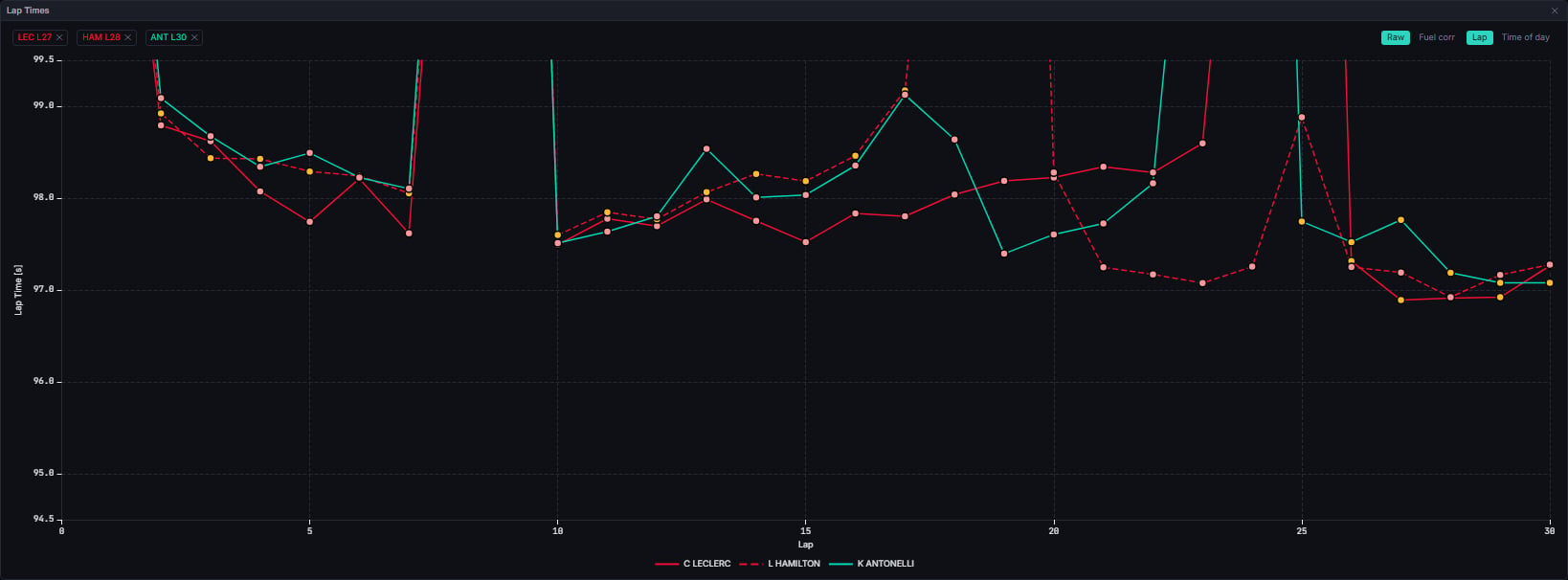
A lap with no recorded time is dropped from that driver’s series rather than plotted as a fabricated point; the same applies to a lap whose start time cannot be parsed, in “Time of day” mode.
Opening view and the y-axis. The y-axis reaches every plotted lap, so nothing is ever cut off. The chart opens on a closer view of the fastest laps: each driver’s laps are judged against that same driver’s fastest plotted lap, and the opening window spans the laps within 5% of it, rounded outward to the nearest half second. A slower lap, such as a safety car or wet lap, still plots; it simply sits outside the opening window until you zoom out.
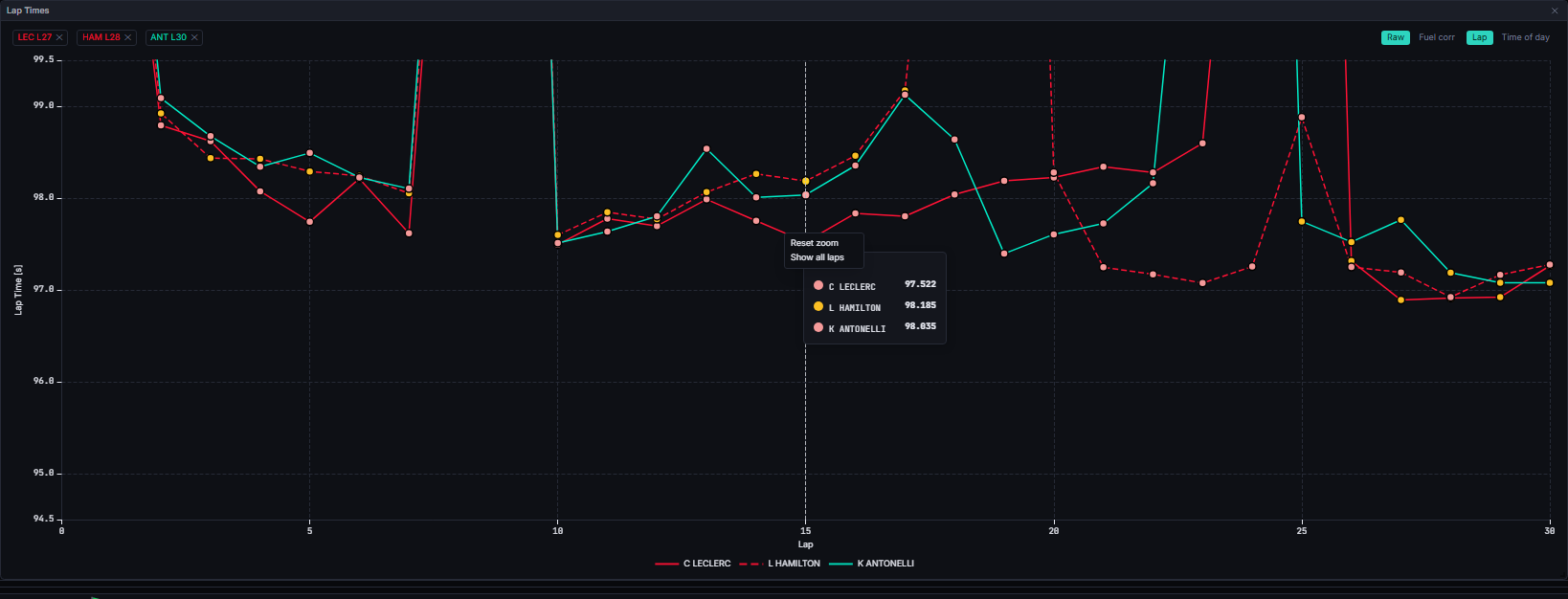
- Reset zoom returns to the opening view.
- Show all laps zooms the y-axis out to every lap, which is how to reach the slower laps outside the opening window.
Data Behind It
This chart is built entirely client-side (buildComparisonChart) from lap rows already hydrated through the laps REST endpoint and the laps/timing WebSocket channels, no dedicated insight of its own.
The Fuel corr basis reads the corrected_laps insight (model_id: corrected_laps, model_version: 1.4.0), delivered on vpw:v1:{session_key}:insight:corrected_laps and REST-hydrated on session enter, seek, and reconnect via GET /v1/sessions/{session_key}/metrics?metric_id=corrected_laps. It is the same toggle shared by the Laps table, the Stints viewer and Stint Lap Times; each widget holds its own independent mode, but they share one availability check.
In “Time of day” mode both the axis labels and the tooltip header render the session’s own circuit-local time, from its gmt_offset, falling back to the browser’s local time only when the session carries no usable offset.
States
Why is the Fuel corr toggle disabled?
Why is the Fuel corr toggle disabled?
The disabled button’s title gives the inferred reason, checked in this order: a qualifying session (“Corrected times are not computed for qualifying sessions”); a session with no fuel parameters for its circuit (“No fuel parameters for this circuit”); otherwise a generic “No fuel-corrected times yet” while the insight catches up. Practice sessions do get a corrected basis, labelled “Uncorrected (practice fuel unknown)” where the fuel load behind it is not known.
FAQ
Why does switching to Fuel corr sometimes shrink the number of points?
Why does switching to Fuel corr sometimes shrink the number of points?
A lap with no corrected value as of the current playhead position drops from the series entirely, the same honest-gap rule the raw basis applies to an untimed lap. It never silently falls back to the raw value.
Next Steps
Laps
The drag source for this chart, and the full sortable lap log, sharing the same fuel-correction toggle.
Timing Tower
The running order behind the drivers you compare.
Fuel Correction
How corrected lap times are computed and when they are available.
Race History
A whole-field pace comparison, rather than a chosen few drivers.