Overview
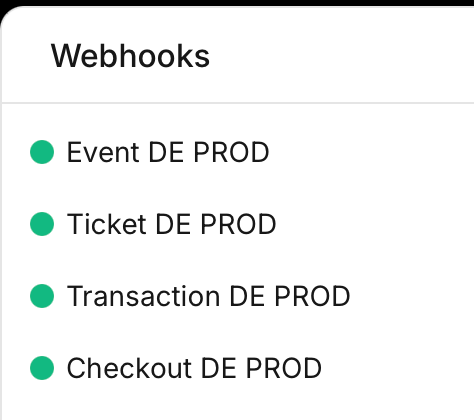
Vivenu uses webhooks to notify the GKL Platform of events on a seller. The development team creates four webhooks per seller: Event, Ticket, Transaction, and Checkout. They are configured under Developer > Webhooks.Prerequisites
- Vivenu access for the relevant seller, with Webhooks installed under Developer Tools. See Adding Developer Tools.
- The hub code confirmed (e.g.
defor Germany,us-cafor US California). See the naming convention. - The HMAC key for this hub, generated in the New Hub Region SOP.
Naming Convention
Name each webhook using the format:{CONTROLLER} is Event, Ticket, Transaction, or Checkout, {REGION_CODE} is the uppercase hub code, and {ENV} is PROD. For example, the checkout webhook for Germany is Checkout DE PROD.
URL
Each webhook uses the same host and stage, changing only the controller segment and thehubRegion query parameter:
Events, Tickets, Transactions, Checkouts) while the webhook name is singular. {REGION_CODE} is the uppercase hub code, e.g. DE.
Creating Each Webhook
Repeat the following for all four webhooks.1
Open the Create webhook dialog
Navigate to Developer > Webhooks and click Create.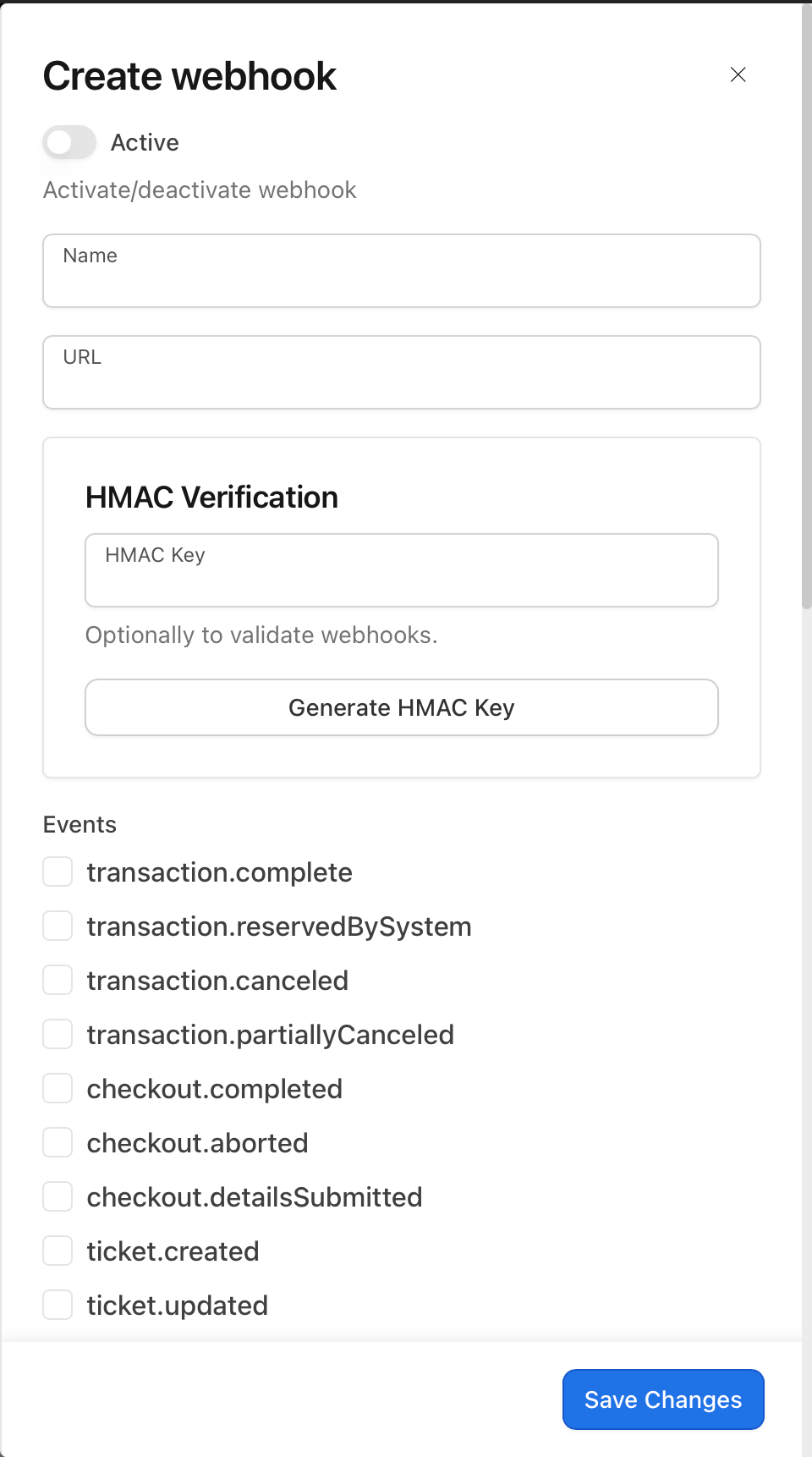
2
Set the name and URL
Enter the Name and URL for this webhook using the conventions above, taking the controller segment and events from the webhook reference table.
3
Set the HMAC key
Take the HMAC key generated for this hub in the New Hub Region SOP, base64 encode it, and paste the encoded value into the HMAC Key field.
4
Select the events
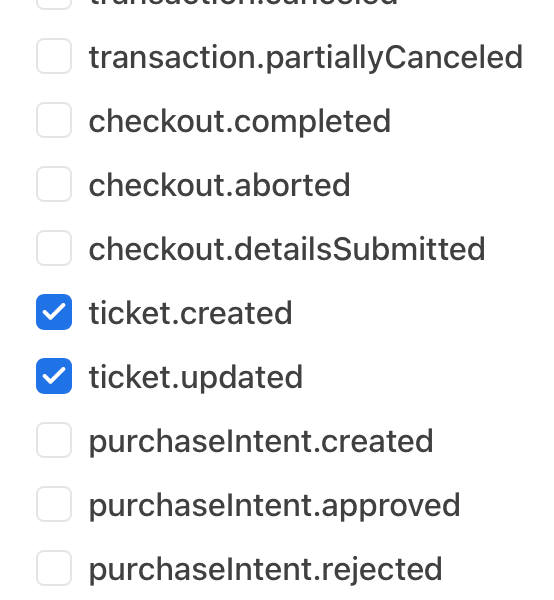
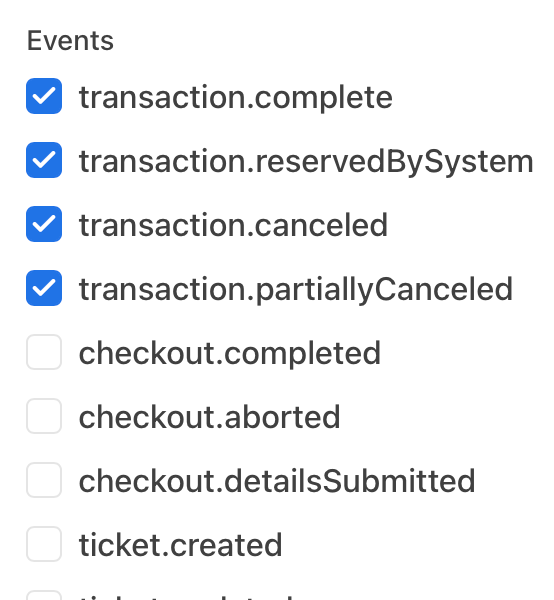
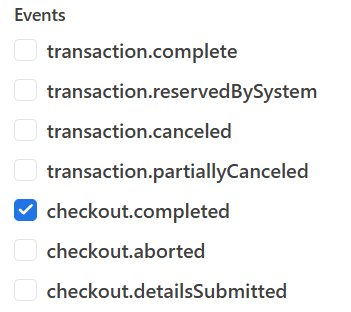
Under Events, select the events for this webhook as listed in the webhook reference below.
5
Activate and save
Enable the Active toggle at the top of the dialog, then click Save Changes.
Webhook Reference
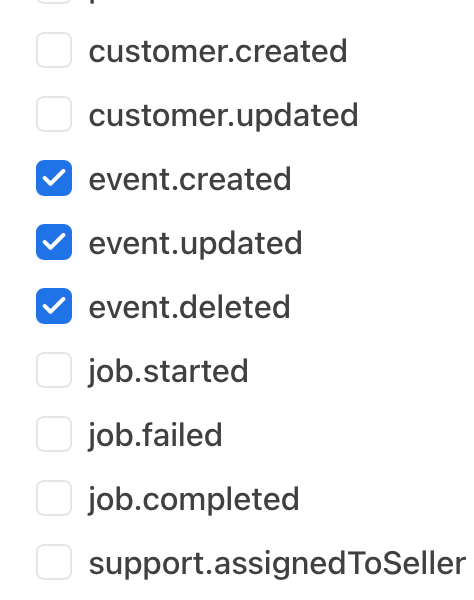
The selected events for each webhook should match the screenshots below.
1
Event webhook
2
Ticket webhook
3
Transaction webhook
4
Checkout webhook
Confirming the Webhooks
Once all four are saved, the Webhooks list should show each one as active.