

Overview
By default a new Vivenu seller is served from an auto-generatedvivenushop.com address. This SOP covers connecting a branded custom domain (the customer-facing shop URL) to the seller and verifying ownership through a DNS record in GoDaddy.
This SOP assumes you already know how to access and navigate Vivenu. If you need access, email support.
Prerequisites
- Vivenu access for the relevant seller
- Access to the
fat-kartingleague.comDNS in GoDaddy - The hub code confirmed (e.g.
defor Germany,us-cafor US California). See the naming convention for how hub codes are assigned.
Connecting the Custom Domain
1
Open Domains
Under Settings > Domains, click Connect custom domain.
2
Enter the hostname
In the Create Domain dialog, enter the Hostname using the convention:Where 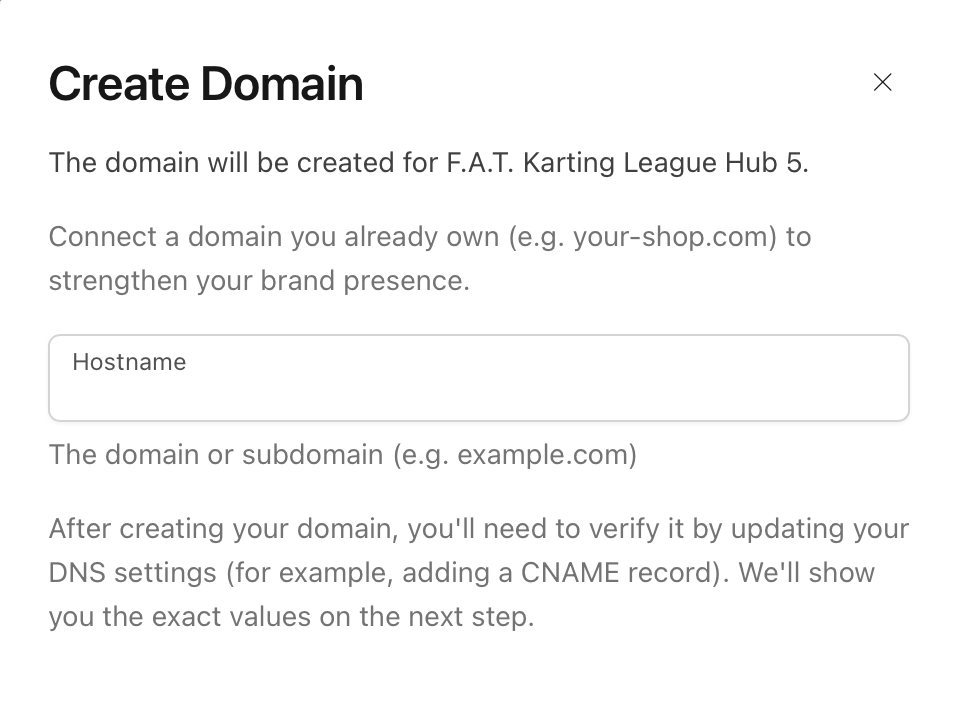
<hub-code> is the code for your hub. For example, for Germany this is shop.de.fat-kartingleague.com.Adding the DNS Record
After creating the domain, Vivenu displays a single CNAME record to add to your DNS. It will show as PENDING until the record is verified.1
Copy the CNAME record from Vivenu
Note the two values Vivenu provides: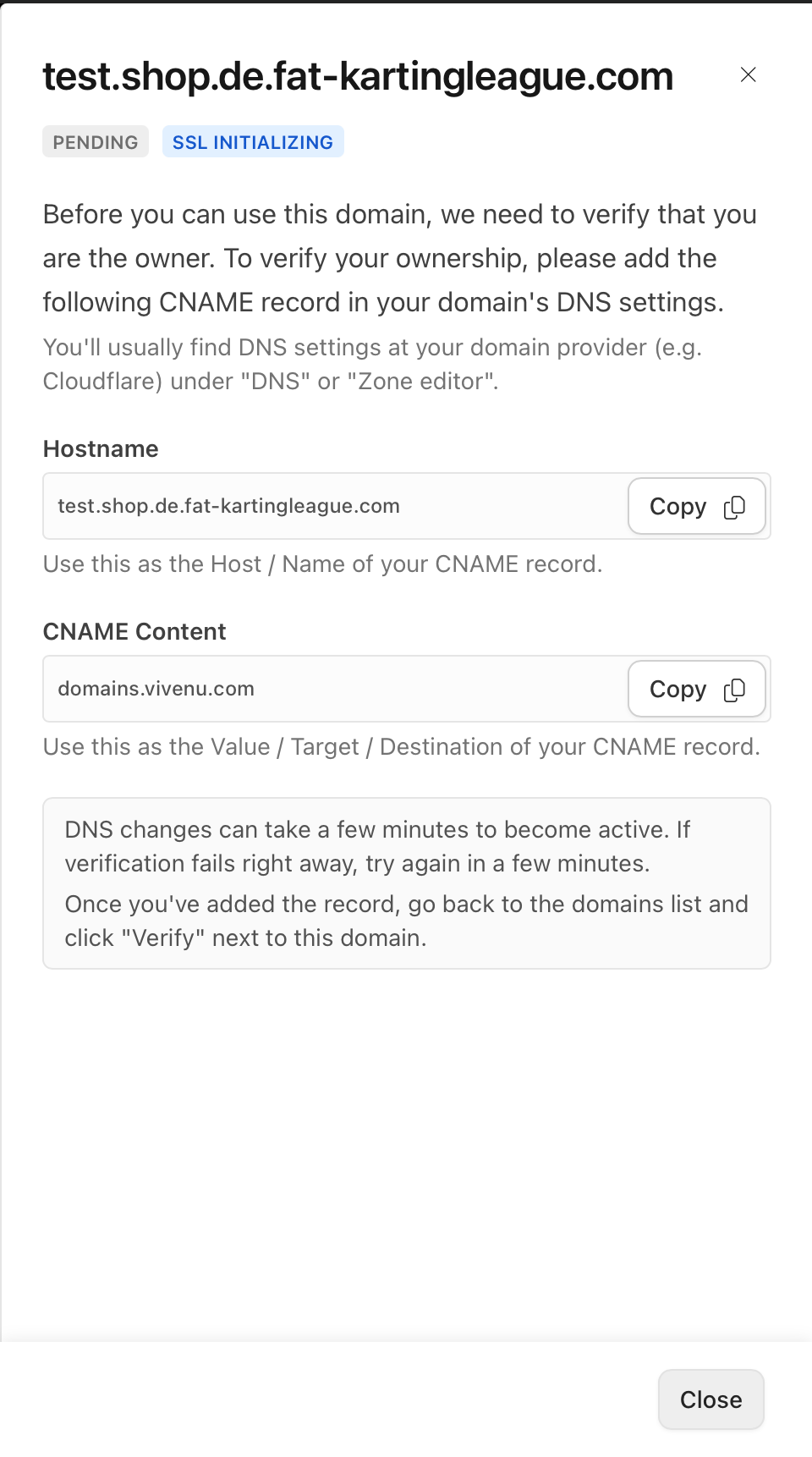
2
Add the record in GoDaddy
In GoDaddy, open the DNS management for
fat-kartingleague.com and add a new CNAME record using the Hostname and CNAME Content values from the previous step.Enter only the host portion (e.g.
shop.de) - GoDaddy appends the root domain automatically. The fully qualified record must resolve to shop.<hub-code>.fat-kartingleague.com.Verifying and Setting as Primary
1
Wait for DNS to propagate
DNS changes can take a few minutes to become active. Allow time for the record to propagate before expecting verification to succeed.
2
Refresh until the domain is active
Return to Settings > Domains and refresh the page periodically. Once the record is verified, the domain’s Status and SSL will both show ACTIVE.
3
Set the domain as primary
Click Set as primary on the custom domain row. It will then show the PRIMARY badge, and the default 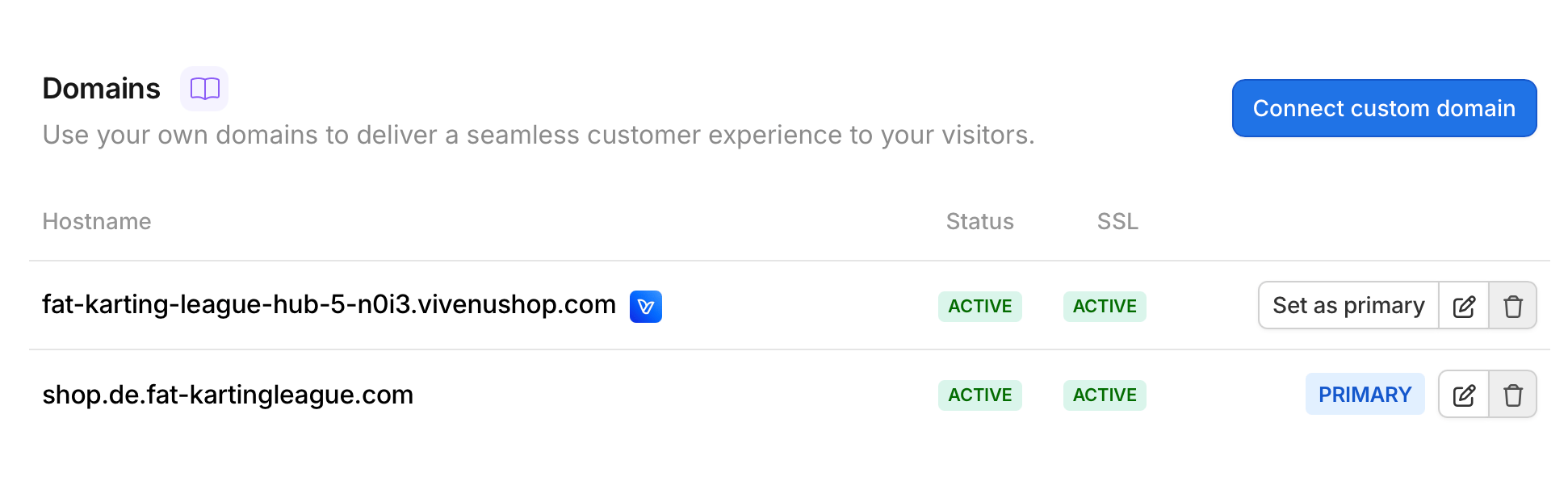
vivenushop.com domain will no longer be primary.