
Overview
Each hub has a dedicated Microsoft Teams team and channel that receives notifications from the GKL API. This SOP covers creating that team and channel and generating the incoming webhook URL.Prerequisites
- Microsoft Teams access with permission to create teams.
- The region code confirmed (e.g.
DEfor Germany). See the naming convention.
Creating the Team and Channel
1
Create the team
Create a new team named:Where
<REGION_CODE> is the uppercase region code. For example, for Germany this is FKL DE PROD.2
Name the first channel
Set the first channel’s name to:For example, for Germany this is 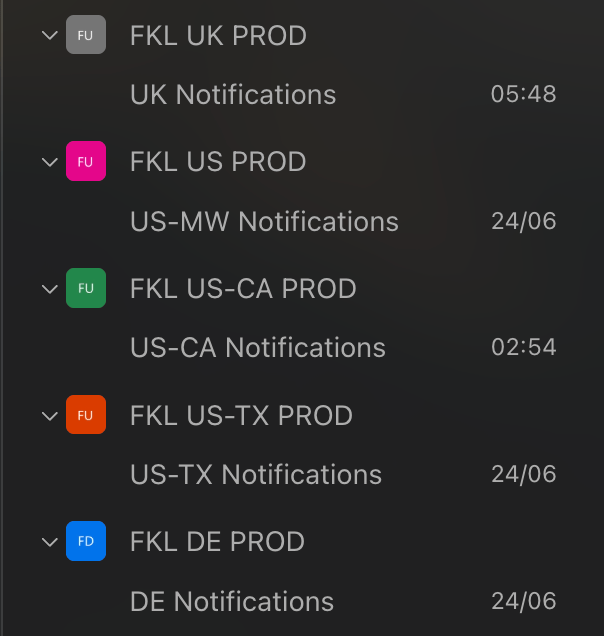
DE Notifications.Generating the Webhook URL
1
Open Workflows for the channel
On the new team’s first channel, click the … dropdown and select Workflows.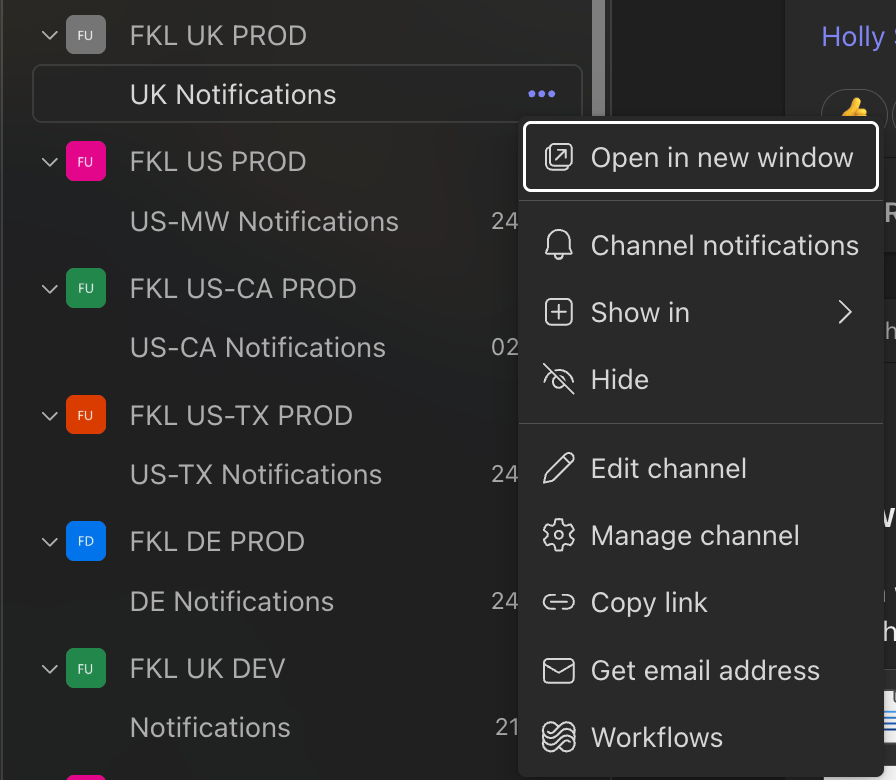
2
Add the Send webhook workflow
Search for send webhook and select Send webhook alerts to a channel.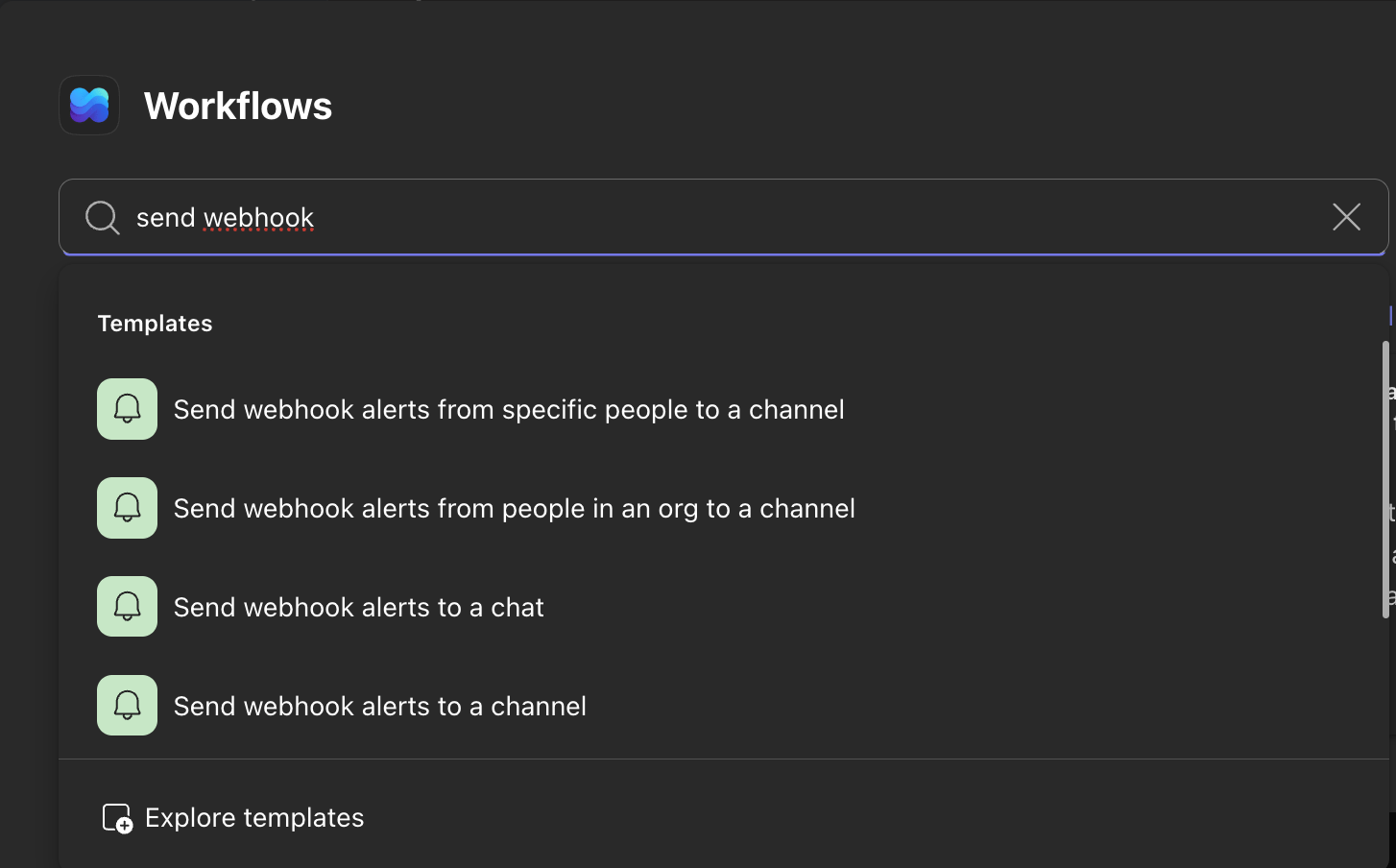
3
Confirm the team and channel
The default options should already match the team and channel you just created. Confirm they are correct before continuing.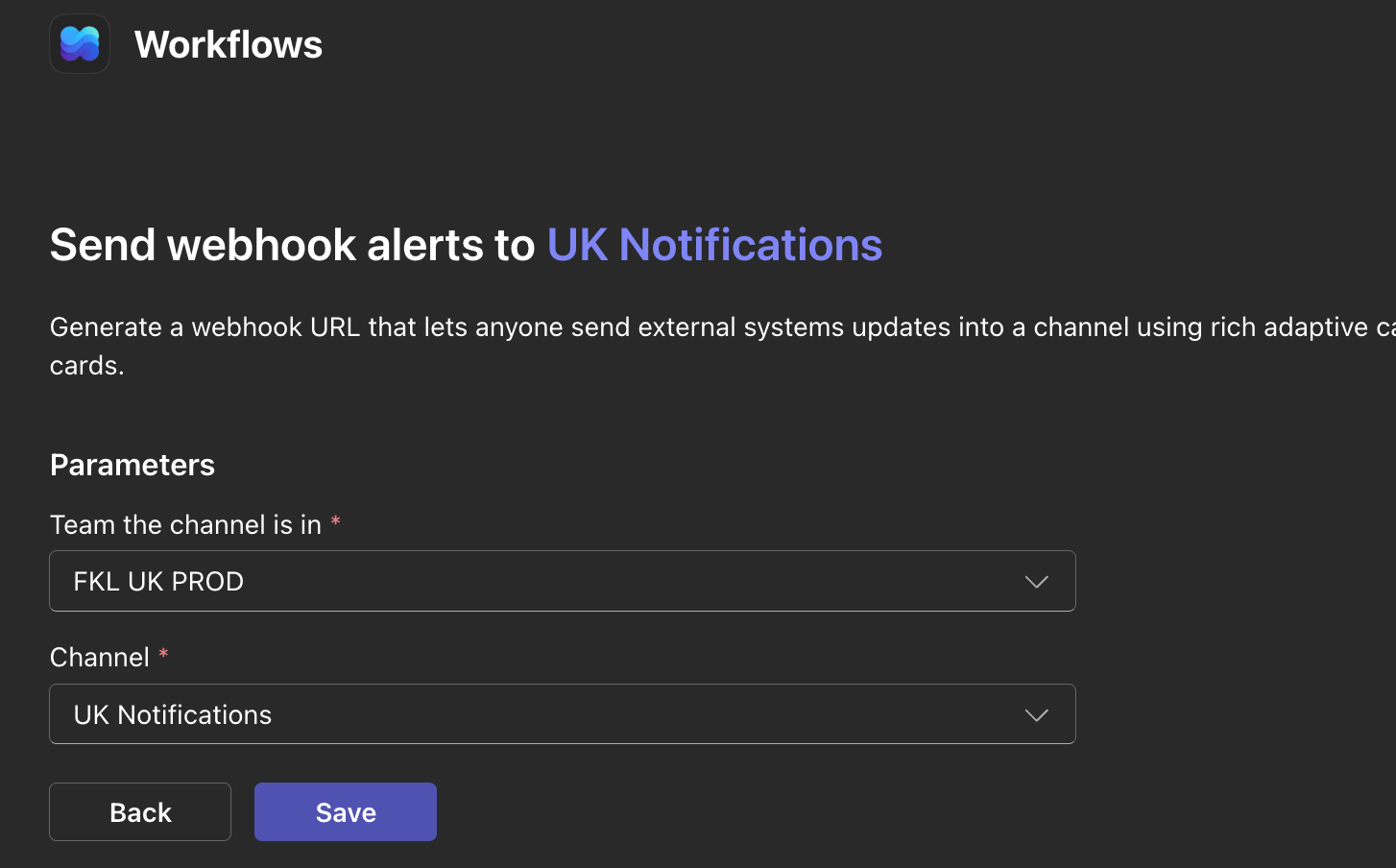
4
Copy the webhook URL
Copy the webhook URL and save the workflow.
Keep the webhook URL safe. It is added to the GKL API configuration in the New Hub Region SOP.
Adding Members
Add the following roles as members of the team:- CEO
- COO
- CFO
- Head of Finance
- Finance Team Members
- Hub Manager
- CEL/EC
- Head of Advanced Tech
- Development Team within AT
- Head of Sales & Marketing
- Sales & Marketing Team Members