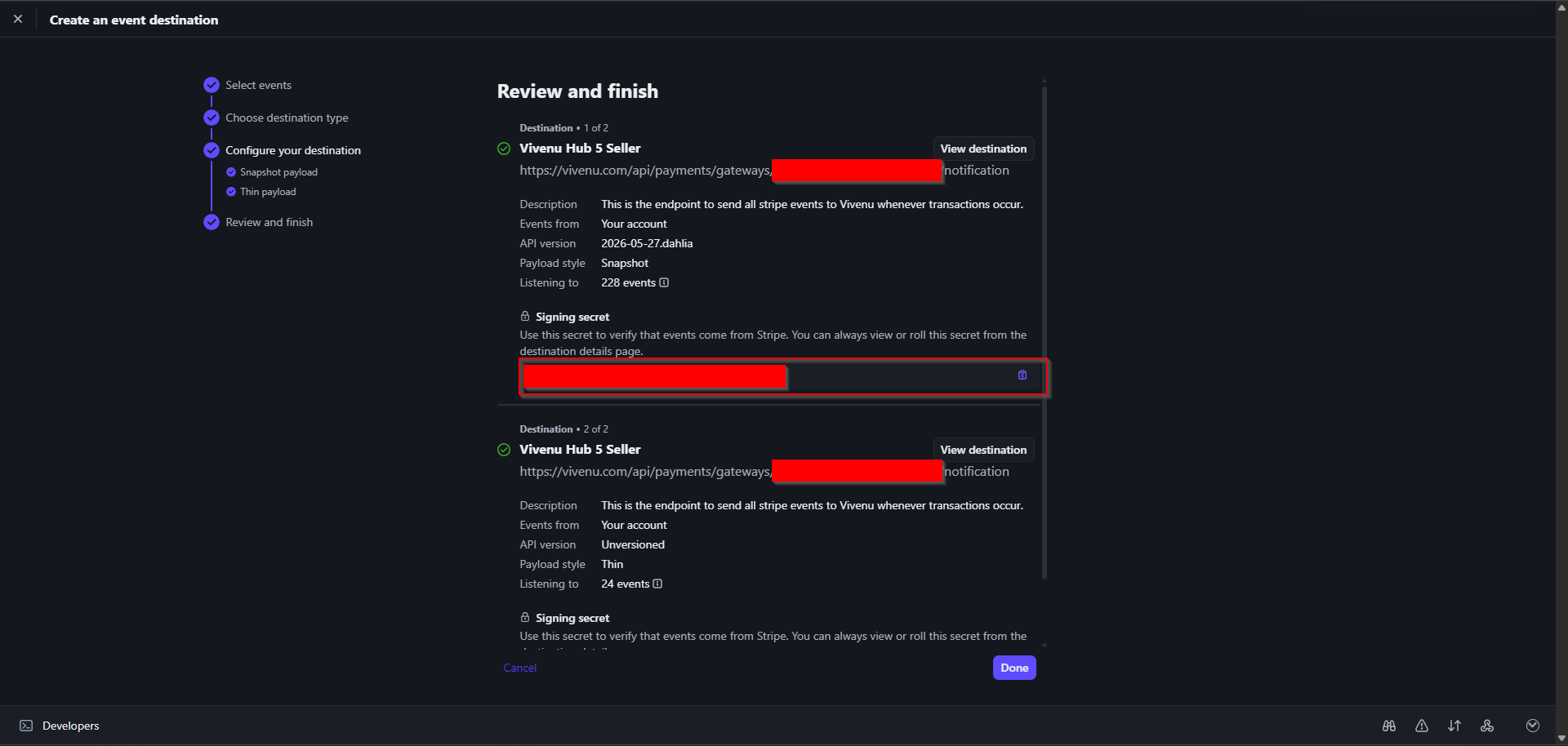
Creating a New Payment Gateway
1
Open Payment Gateways
Under Settings > Payments > Payment Gateways, click Create.
2
Select Stripe and name the gateway
Select Stripe as the payment provider and name the gateway 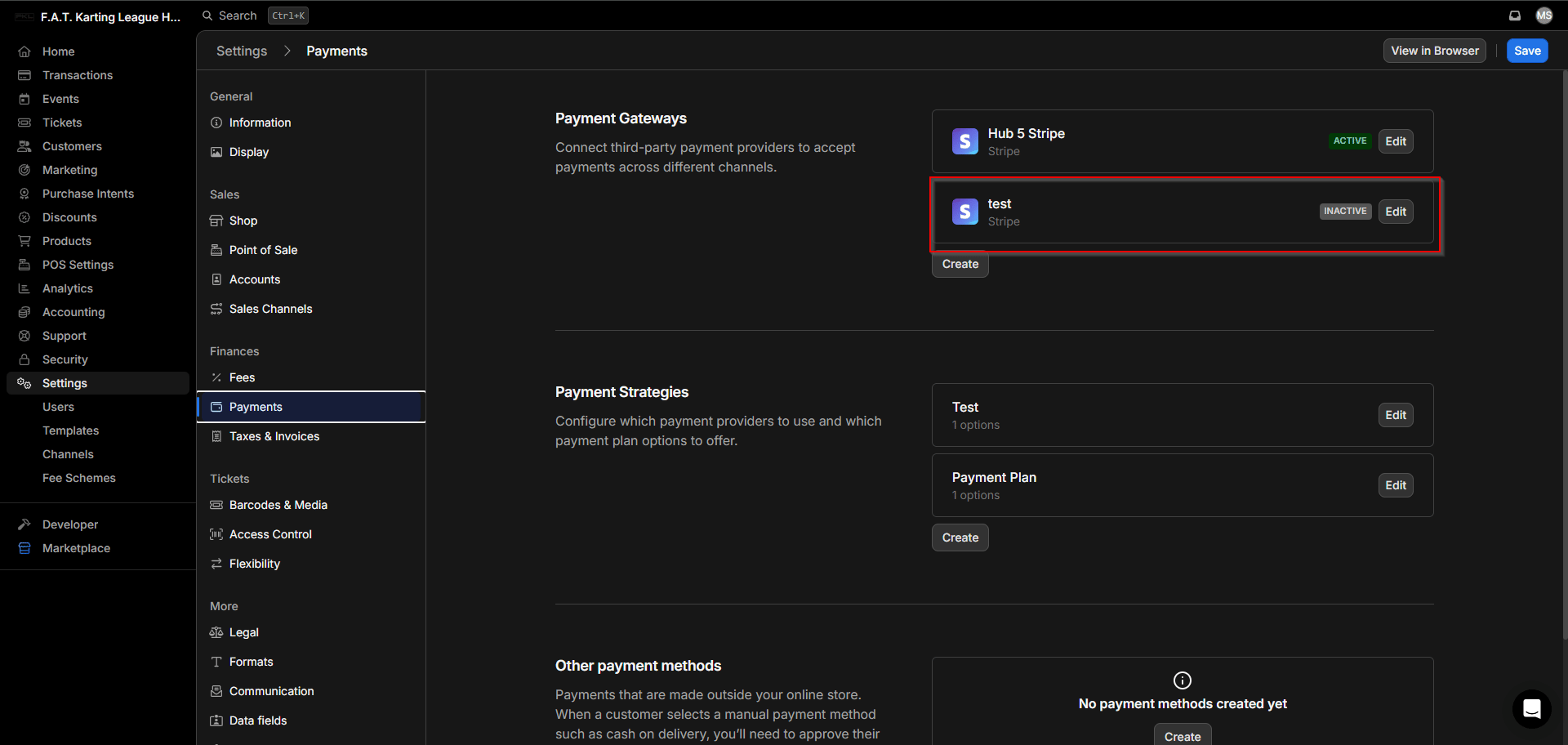
Hub # Stripe, replacing # with the hub number.Click Create. You should now see the new payment gateway listed as inactive.Configuring the Payment Gateway
1
Open the gateway editor
Click Edit on the inactive gateway to open the details sidebar.
2
Enable channels
Under Channel, enable all three options: Online, POS, and Recurring Payments.
3
Set the statement descriptor
Under Statement Descriptor, enter
FAT Karting League.4
Enable Klarna
Enable Klarna as a payment method.
Connecting with Stripe
1
Initiate the Stripe connection
Click Connect with Stripe to be taken to the Stripe configuration page.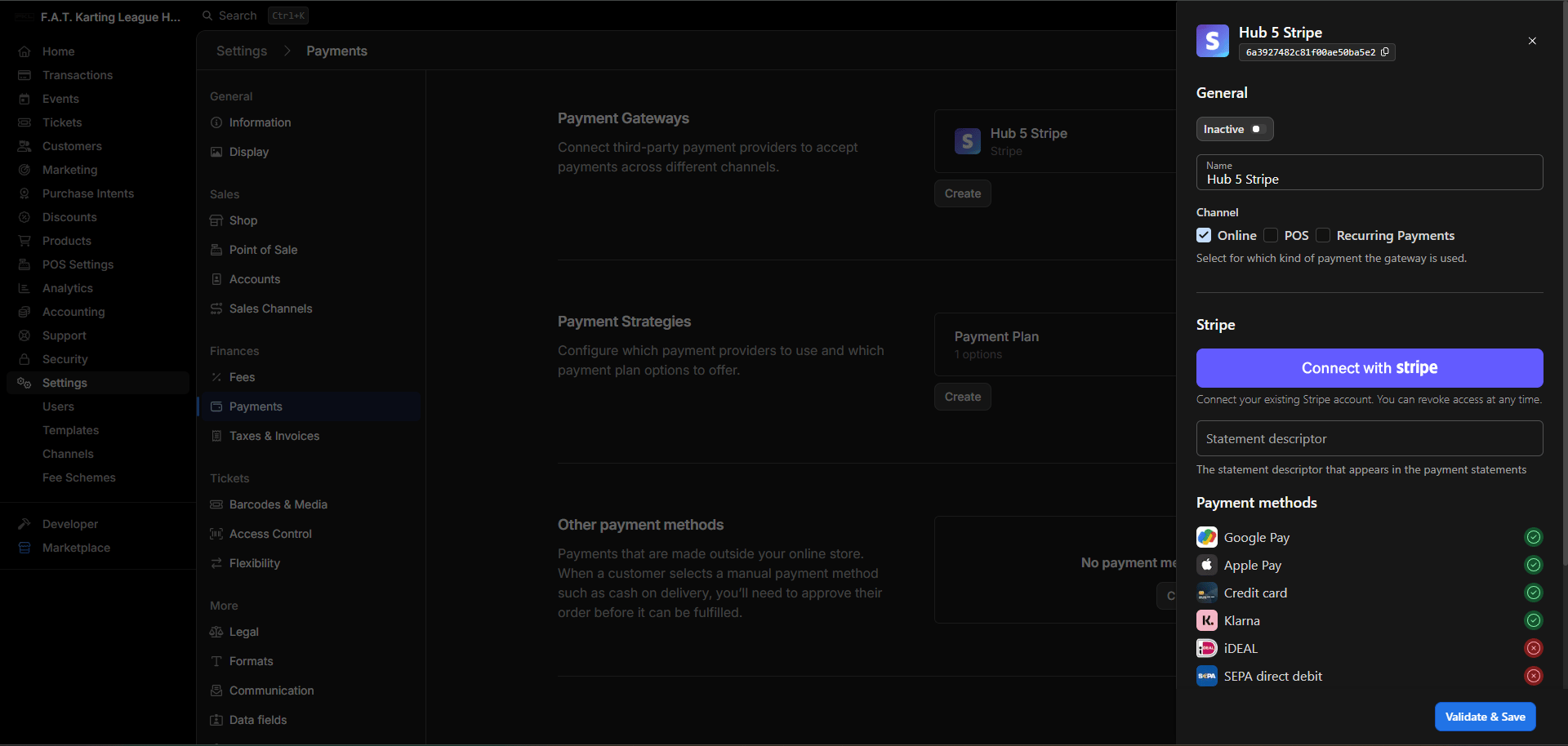
2
Select the correct Stripe account
Select the Stripe account relevant to the hub you are setting up and connect.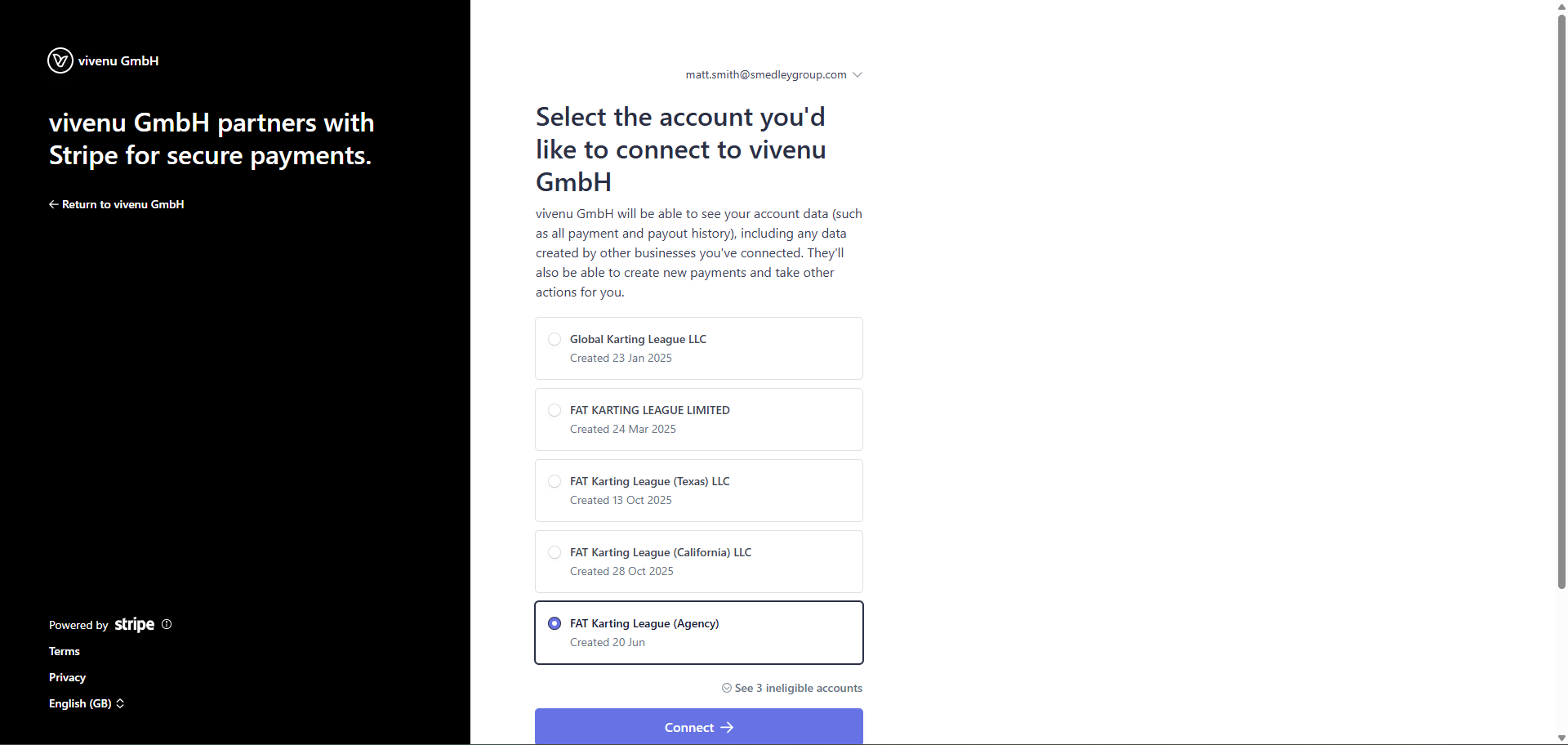
3
Authenticate and return to Vivenu
You will be redirected to Vivenu for authentication. Once confirmed, you will be returned to Settings > Information.
4
Verify the connection
Navigate back to the payment gateway. The Stripe account should now show as connected.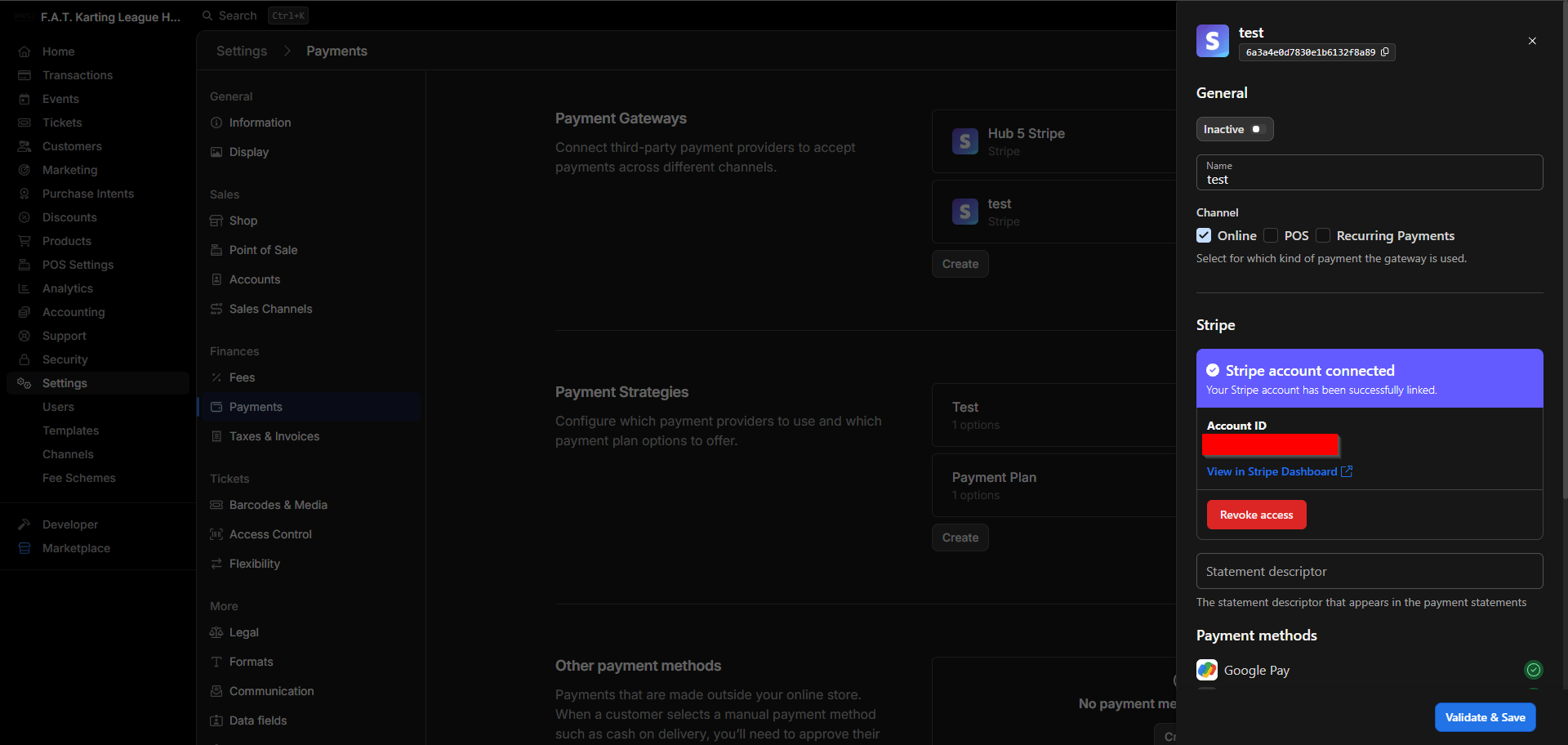
Setting Up Webhooks
The webhook instructions shown within Vivenu may be out of date. Follow this SOP rather than the guidance provided in the platform.
1
Open the Stripe Webhooks dashboard
Navigate to https://dashboard.stripe.com/webhooks.
2
Copy the webhook URL from Vivenu
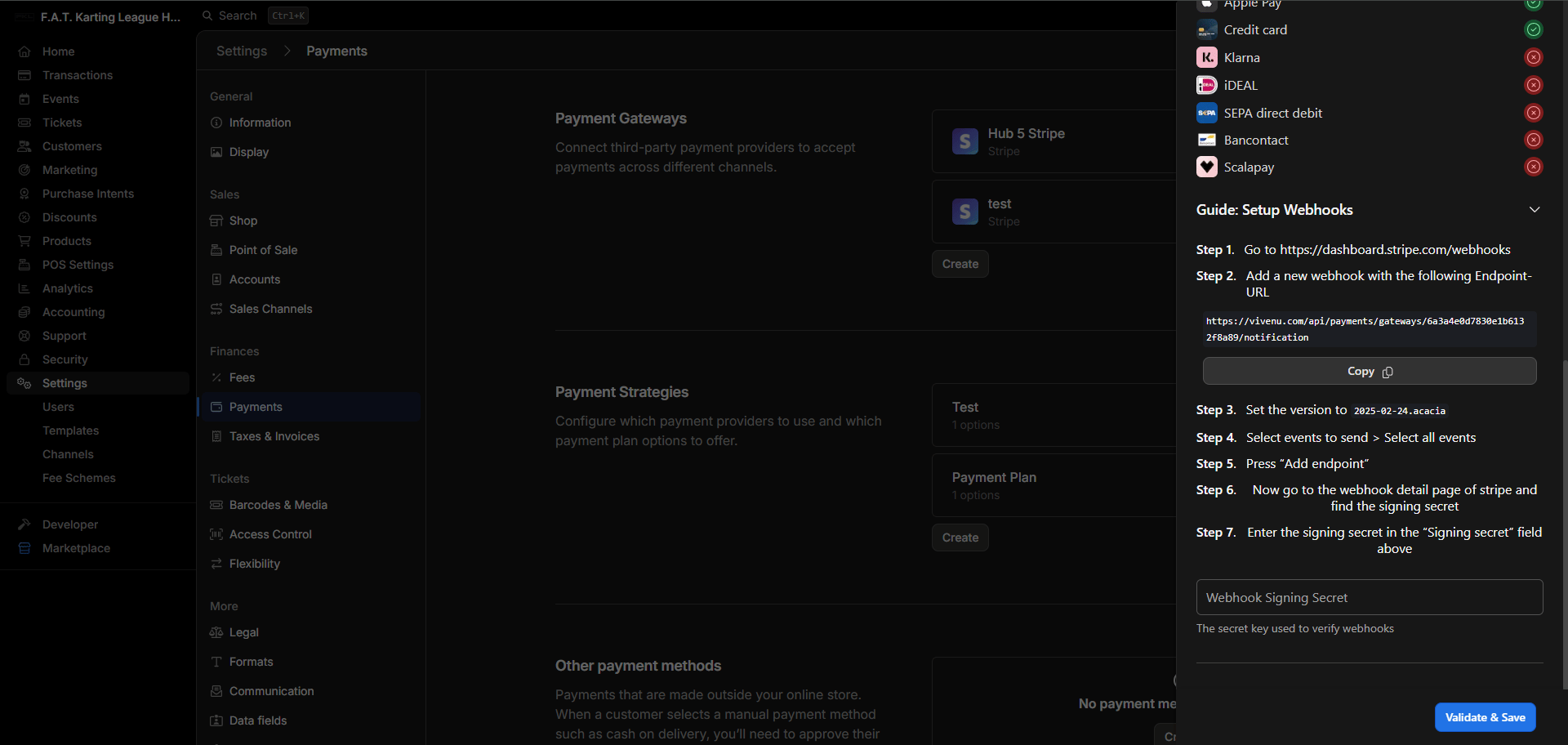
3
Select events
Under Configure your event destination > Events, select Select all and continue.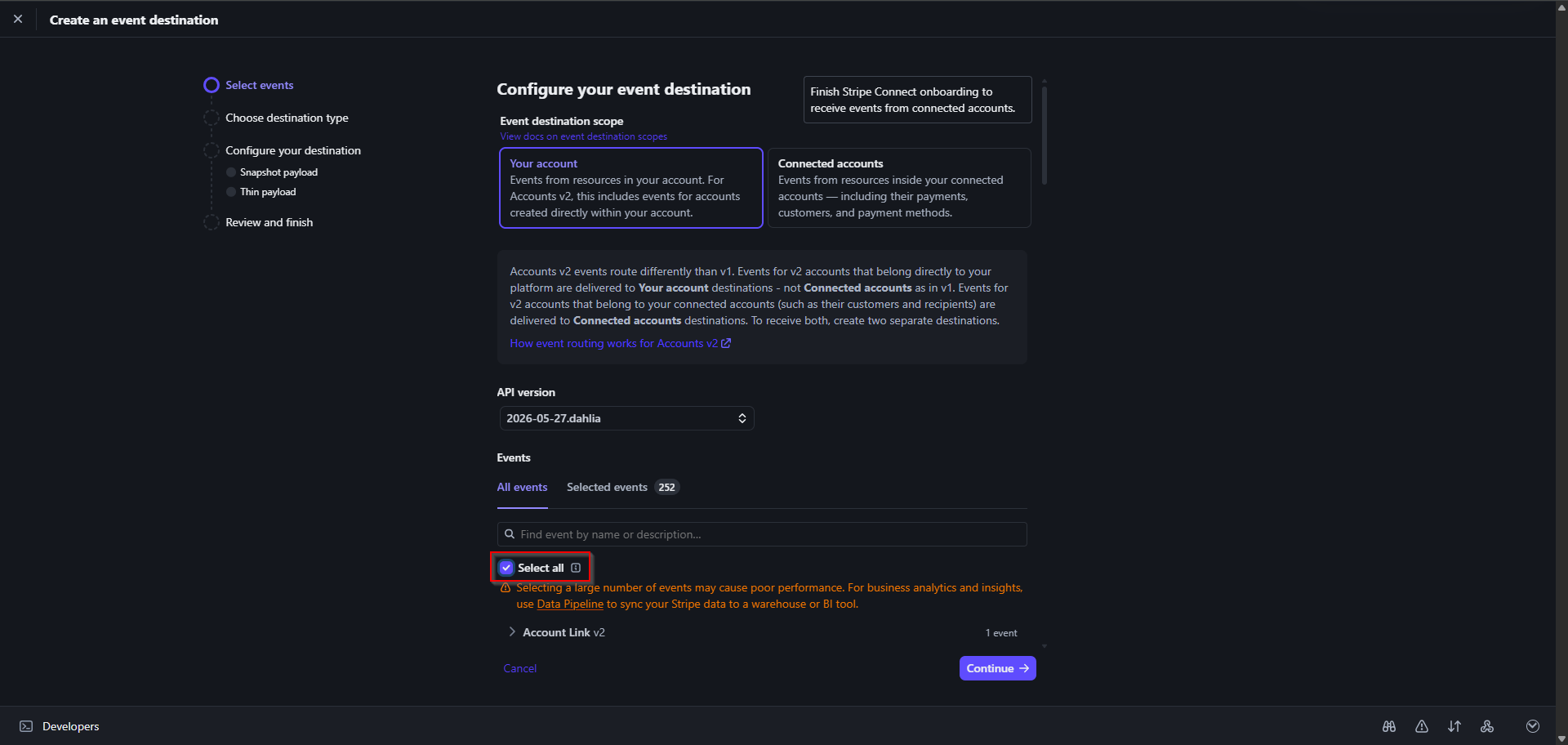
4
Select destination type
Select Webhook endpoint and continue.
5
Acknowledge payload styles
You will see a note about payload styles. Continue through.
6
Configure the destination
Set the destination name to Continue to proceed.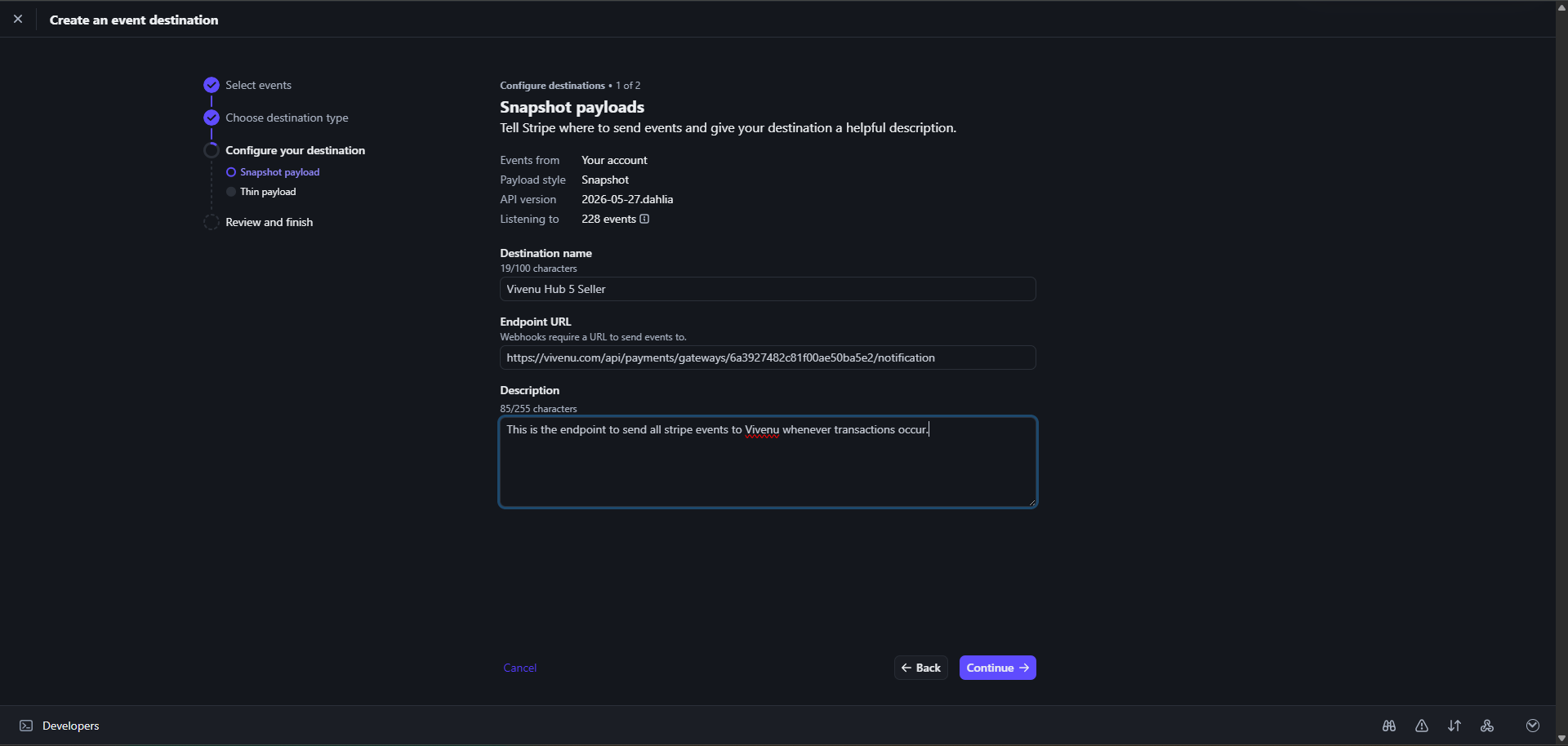
Vivenu Hub # Seller, replacing # with the hub number.Paste the URL copied from Vivenu into Endpoint URL.Enter the following into Description:7
Copy the signing secret
Copy the Signing Secret for the Snapshot payload style and paste it into the Webhook Signing Secret field on Vivenu.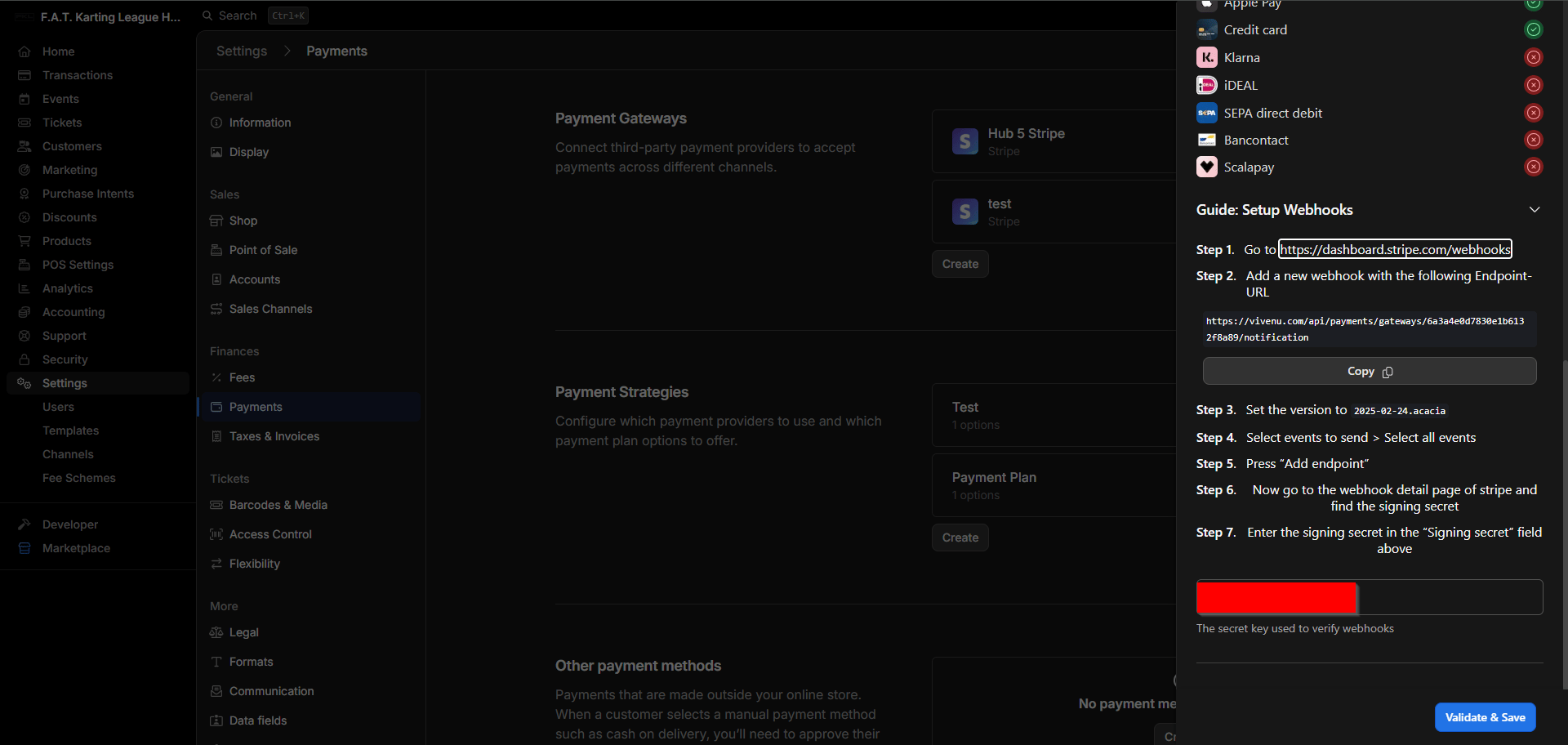
8
Validate and save on Vivenu
Click Validate & Save to complete the Vivenu configuration.
9
Finish on Stripe
Return to Stripe, review the details, and click Done if everything looks correct.