

Overview
This SOP covers the full initial configuration required when setting up a new seller on Vivenu. Work through each section in order before making the seller live.Prerequisites
- Vivenu access for the relevant seller
- Logo file ready to upload
- Hub number and hub code confirmed (e.g.
us-cafor US — California) - Entity registered address and T&Cs obtained from Jamie Taylor
Settings → Information
1
Check the seller name
Verify the seller name follows the correct naming convention:Where
# is the hub number (e.g. F.A.T. Karting League Hub 1).2
Set the website
Set the website field to:
3
Set the support URL
If the support URL field is available, set it to:
4
Check the address
Verify the address is correct against the registered address for the entity.
If you are unsure of the correct registered address, contact Jamie Taylor at jamie.taylor@smedleygroup.com.
Settings → Display
1
Upload the logo
Upload the logo file and set it for both the Logo and Document Logo fields.
2
Set brand colours
Set the following colour values:
Settings → Communication → General
1
Add an email photo
Add a photo from the asset list for Emails.
2
Enable send reminders
Enable Send reminders and activate the following options:
- After ticket booking → within 24 hours of ticket booking
- Before event start → 30 days before event start
- Before event start → 14 days before event start
- Before event start → 7 days before event start
- Before event start → 2 days before event start
- Before event start → On event’s day
Settings → Communication → Email Senders
1
Add the email domain
Add the domain for your hub in the format:Where 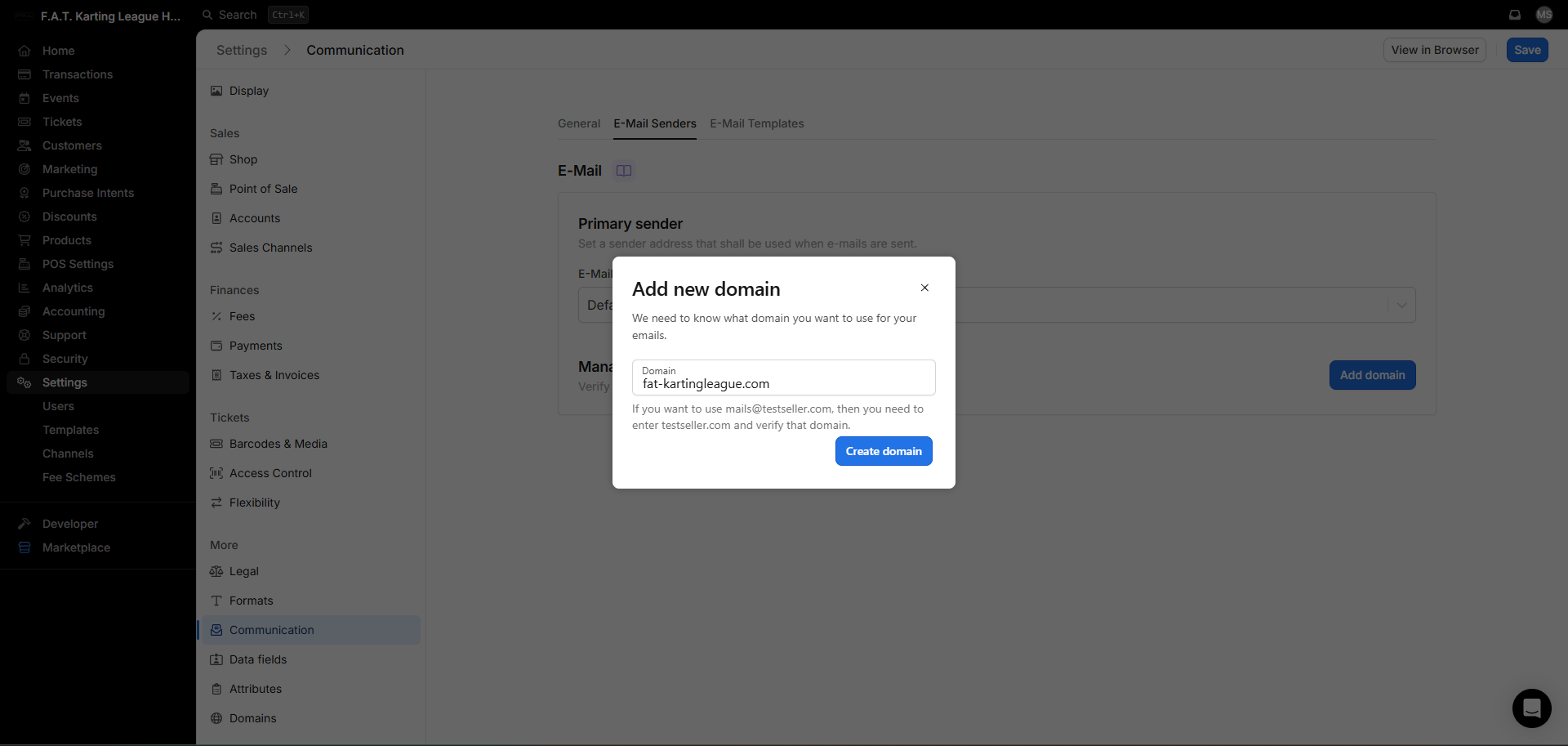
xx is the code for your hub. For example, for US — California this is us-ca.Settings → Legal
1
Set ticket transfer policy
Under Ticket Transfer, enable No Transfer / No Resale.
2
Set cancellation policy
Under In Case of Significant Changes, Postponement or Cancellation of the Event, enable No Right of Cancellation.
3
Enter own terms
Under Own Terms, enter the T&Cs for your hub. Contact Jamie Taylor to obtain the correct T&Cs for your hub.
Settings → Taxes & Invoices
1
Set tax details
Set the following fields to the correct details for your hub:
- Tax Rate
- Tax ID
- Tax Name
2
Enable taxes included
Ensure Taxes Included is enabled.
3
Disable customer invoices
Under Invoices, disable Send out invoices to customers.
4
Set footer columns
Under Footer Columns, enable Column 1 and enter the entity details:
- Line 1: Entity Name
- Line 2:
Company Registered Number: XXXXXXX
Settings → Fees
1
Set all ticket fees to zero
Ensure all ticket fees are set to 0.