Overview
As the FKL championships grow, it is increasingly likely that multiple drivers will share the same name. Where the system flags two drivers as duplicates but they are actually separate, unique customers, their profiles must be marked as distinct to prevent them from being incorrectly flagged in future.Prerequisites
- OD access
Procedure
1
Navigate to the Drivers tab
Go to the Operator Dashboard and navigate to the Drivers tab.
2
Find the duplicate records
Click Duplicates to filter the driver list and locate the driver cards flagged as duplicates.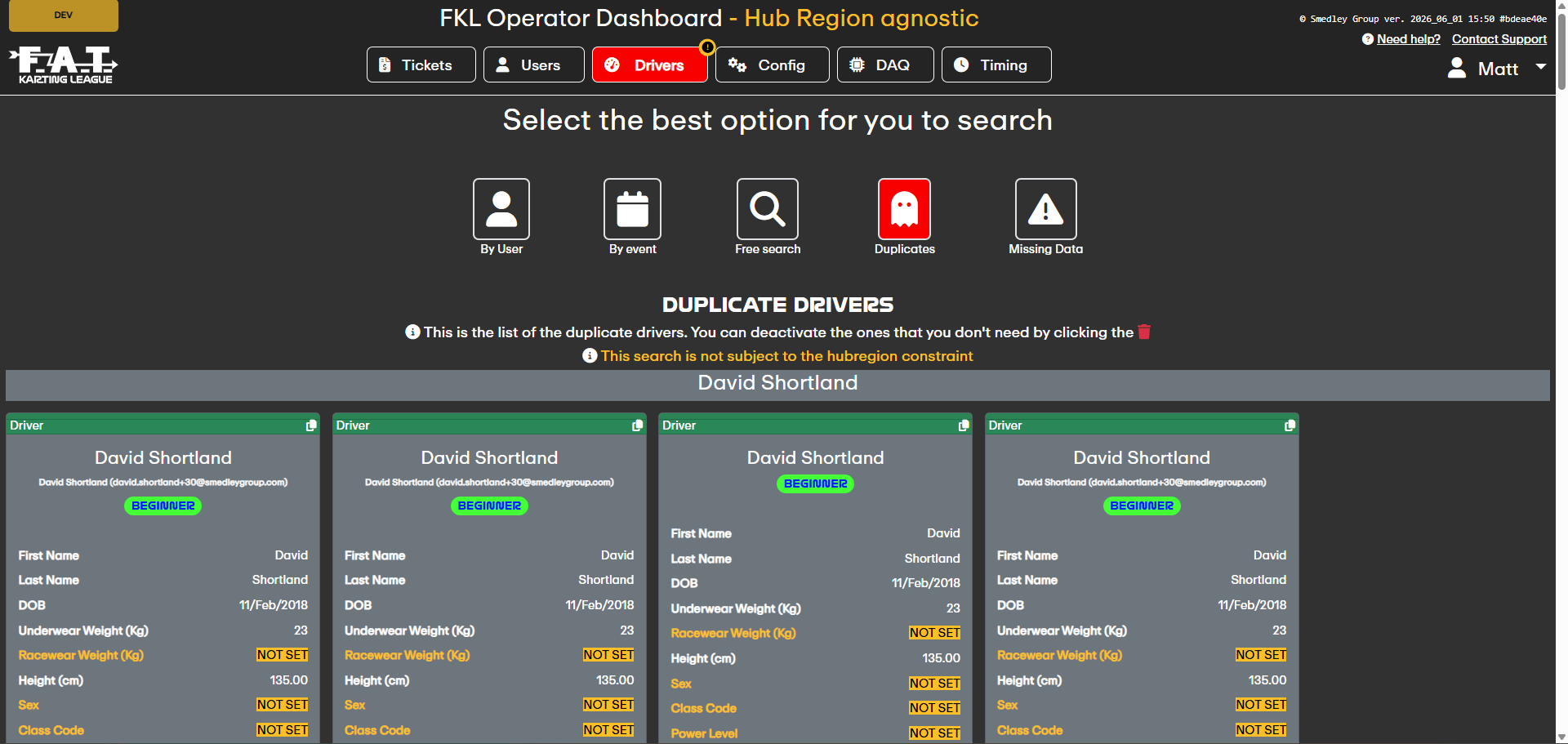
3
Click the snowflake icon
Click the snowflake icon labelled Mark driver as distinct on the first driver. This will show a red cancel on the original driver and a green confirm button on all other drivers in the duplicate group.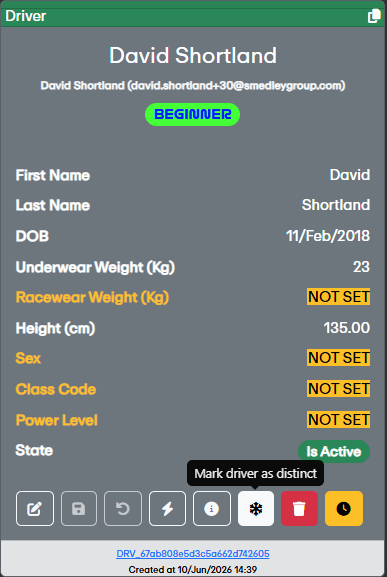
4
Select the second unique driver
Click the green confirm button on the second driver to indicate they are a distinct, unique customer from the first.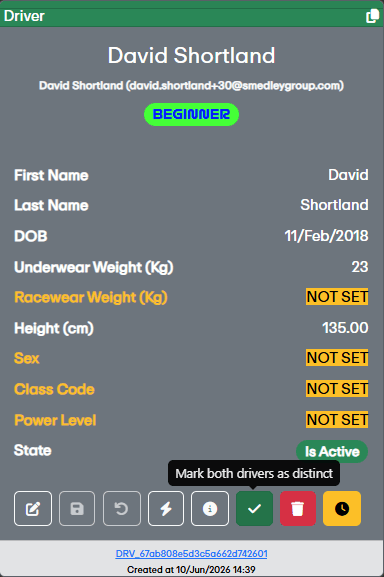
5
Confirm the action
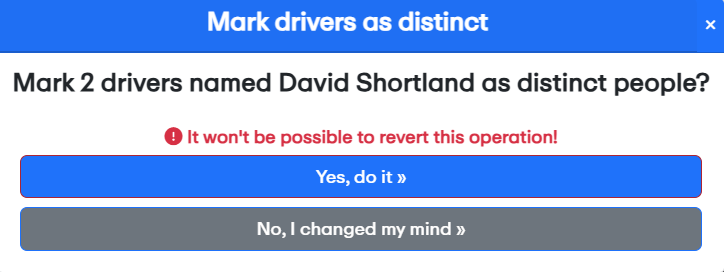
Confirm the action on the pop-up window to complete the process.