> ## Documentation Index
> Fetch the complete documentation index at: https://playbook.smedleygroup.com/llms.txt
> Use this file to discover all available pages before exploring further.
# Configuring the Email Domain (DNS)
> How to add and verify a custom email sender domain for a Vivenu seller via DNS in GoDaddy, then create and set the primary sender.
## Overview
Vivenu sends customer emails from a verified sender domain. This SOP covers adding a branded email domain to the seller, verifying ownership through DNS records in GoDaddy, creating the `hello` sender, and setting it as the primary sender.
This SOP assumes you already know how to access and navigate Vivenu. If you need access, [email support](mailto:advanced-technology-c0a6ecefe97b@intake.linear.app).
***
## Prerequisites
* Vivenu access for the relevant seller
* Access to the `fat-kartingleague.com` DNS in [GoDaddy](https://dcc.godaddy.com/)
* The hub code confirmed (e.g. `de` for Germany, `us-ca` for US California). See the [naming convention](/software/third-party/vivenu/general/vivenu-naming-convention) for how hub codes are assigned.
***
## Adding the Email Domain
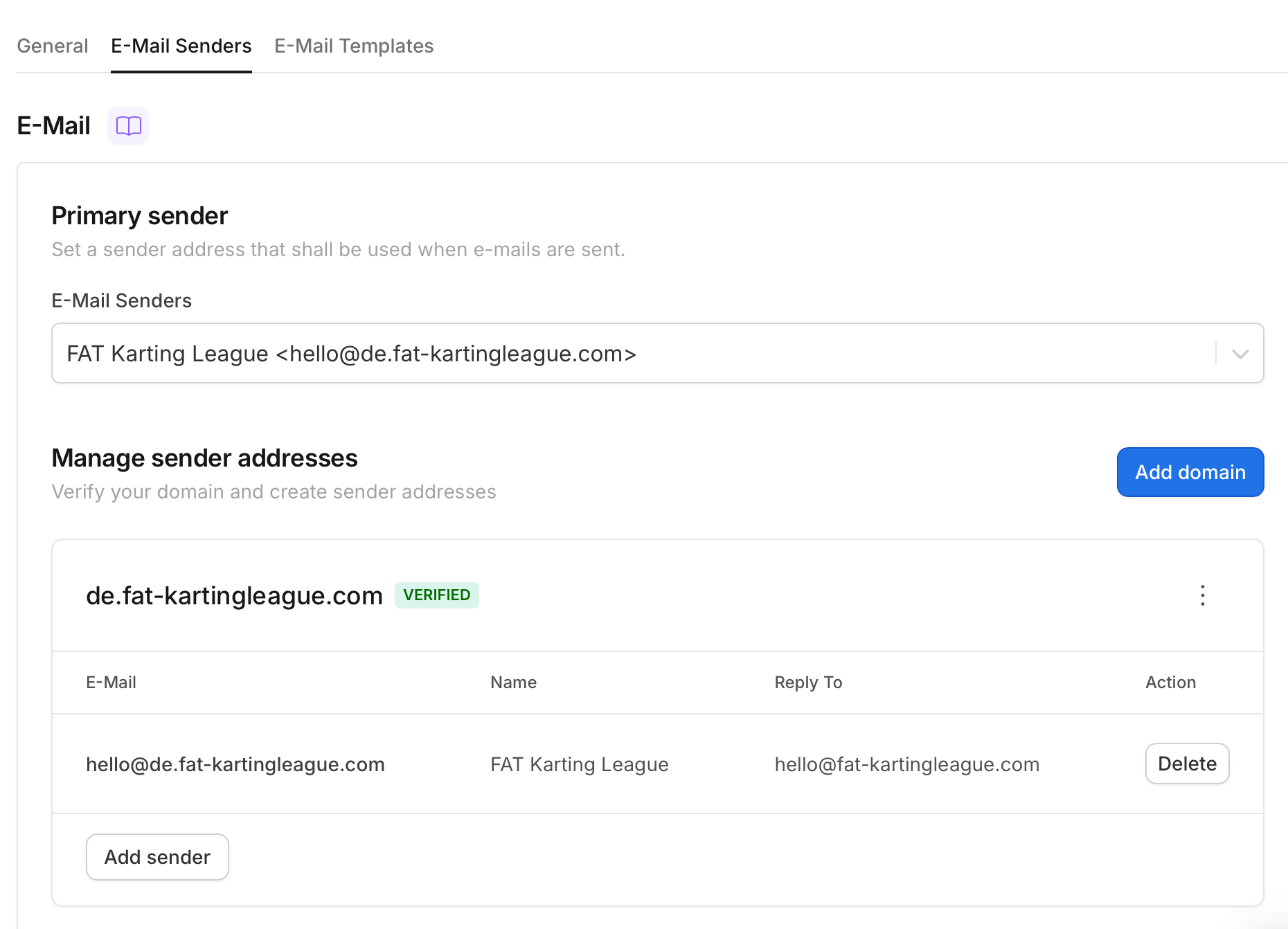
Navigate to **Settings > Communication > E-Mail Senders**.
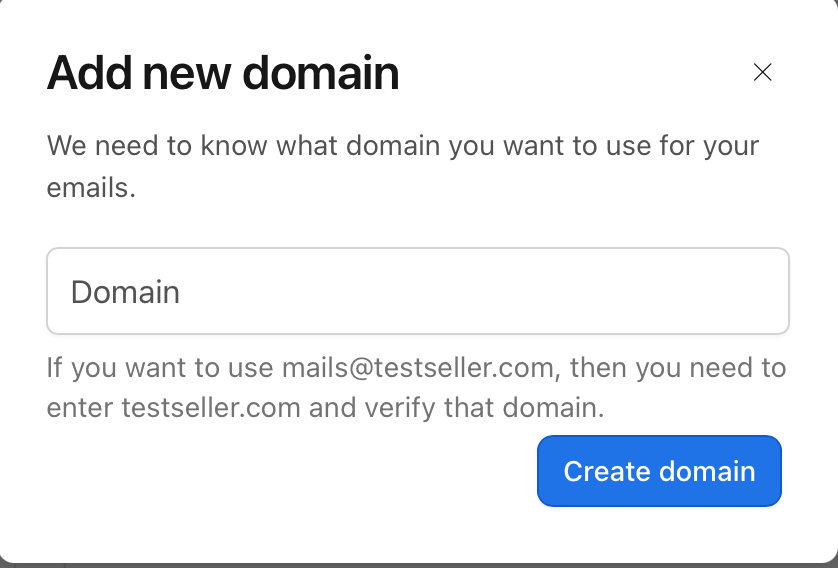
Under **Manage sender addresses**, click **Add domain** and enter the domain using the convention:
```
.fat-kartingleague.com
```
Where `` is the code for your hub. For example, for Germany this is `de.fat-kartingleague.com`.
Click **Create domain**.
 ***
## Verifying the Domain
The new domain shows as **VERIFICATION PENDING** until its DNS records are added and verified.
***
## Verifying the Domain
The new domain shows as **VERIFICATION PENDING** until its DNS records are added and verified.
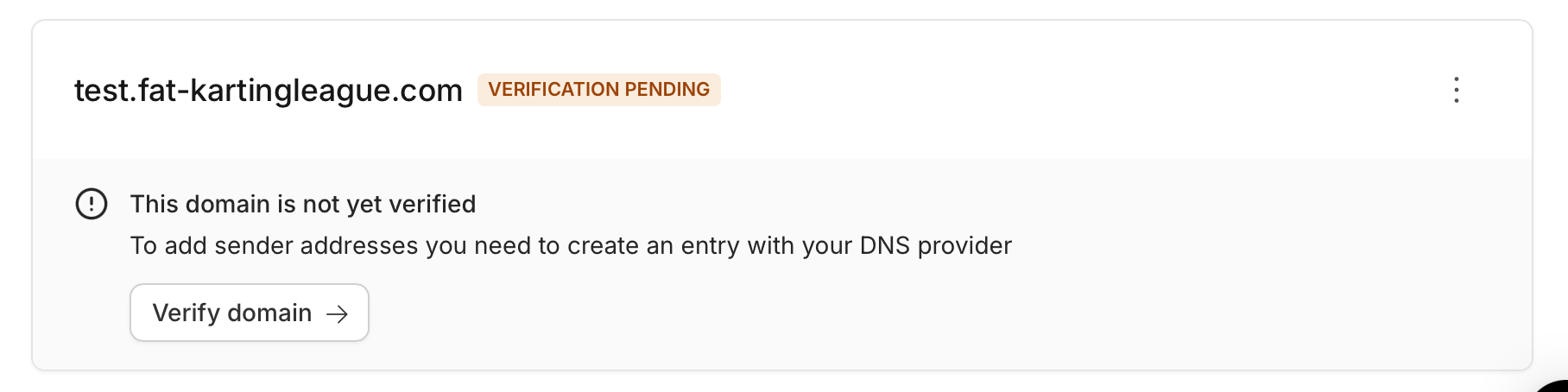 Click **Verify domain**. Vivenu displays two records to add: a **DKIM** record and a **ReturnPath** record.
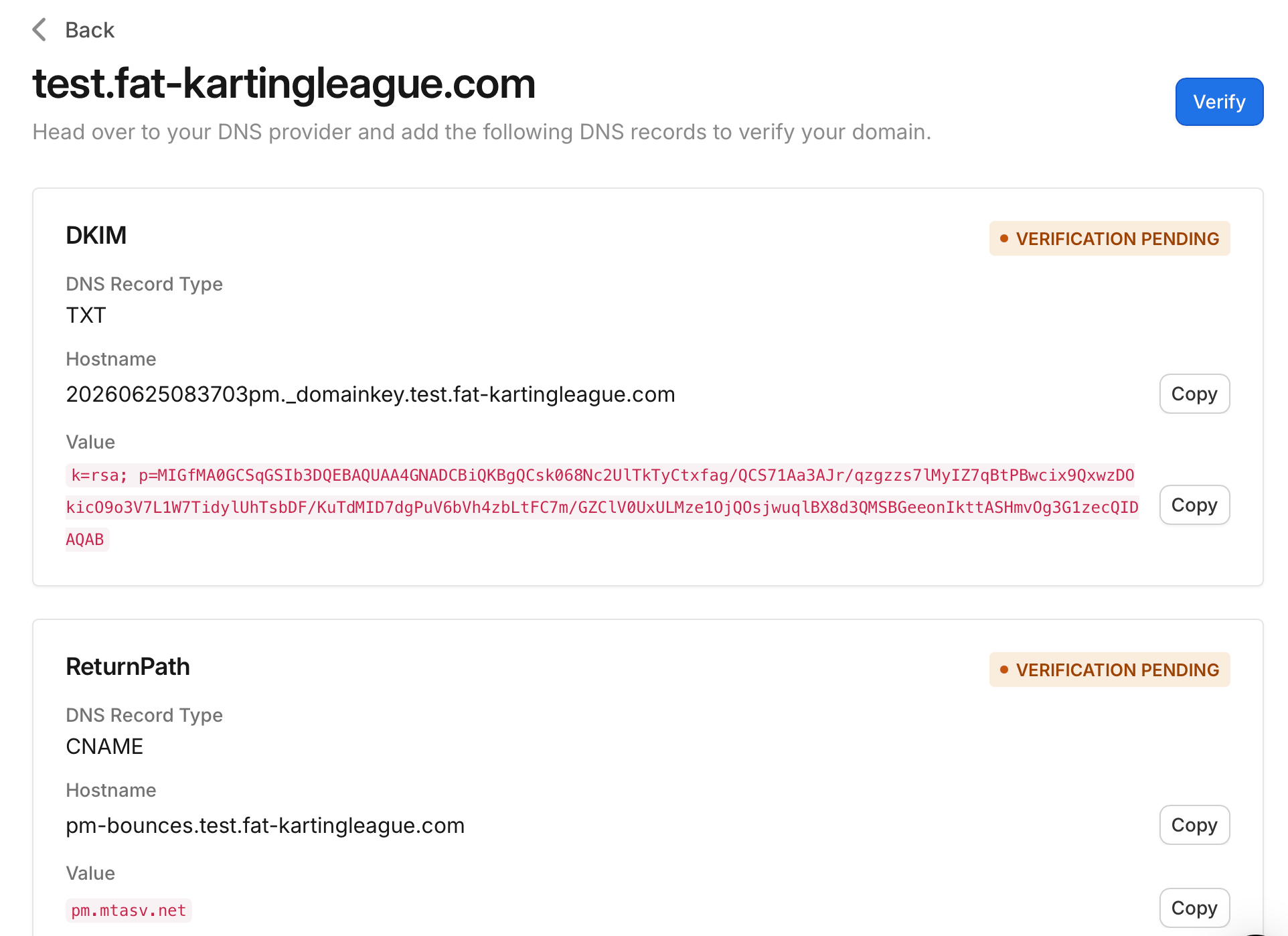 In [GoDaddy](https://dcc.godaddy.com/), open the DNS management for `fat-kartingleague.com` and add both records exactly as Vivenu provides them:
| Record | DNS Record Type | Hostname | Value |
| ---------- | --------------- | ---------------------------------- | ------------------------------------ |
| DKIM | TXT | `._domainkey.` | The `k=rsa; p=...` value from Vivenu |
| ReturnPath | CNAME | `pm-bounces.` | `pm.mtasv.net` |
Omit the `.fat-kartingleague.com` part from each Hostname. GoDaddy appends the root domain automatically, so the fully qualified records resolve to `._domainkey..fat-kartingleague.com` and `pm-bounces..fat-kartingleague.com`.
Back in Vivenu, click **Verify** to request verification. DNS changes can take time to propagate, so if verification does not succeed immediately, wait and try again until the domain shows **VERIFIED**.
***
## Adding a Sender
Once the domain is verified, add a sender address within it.
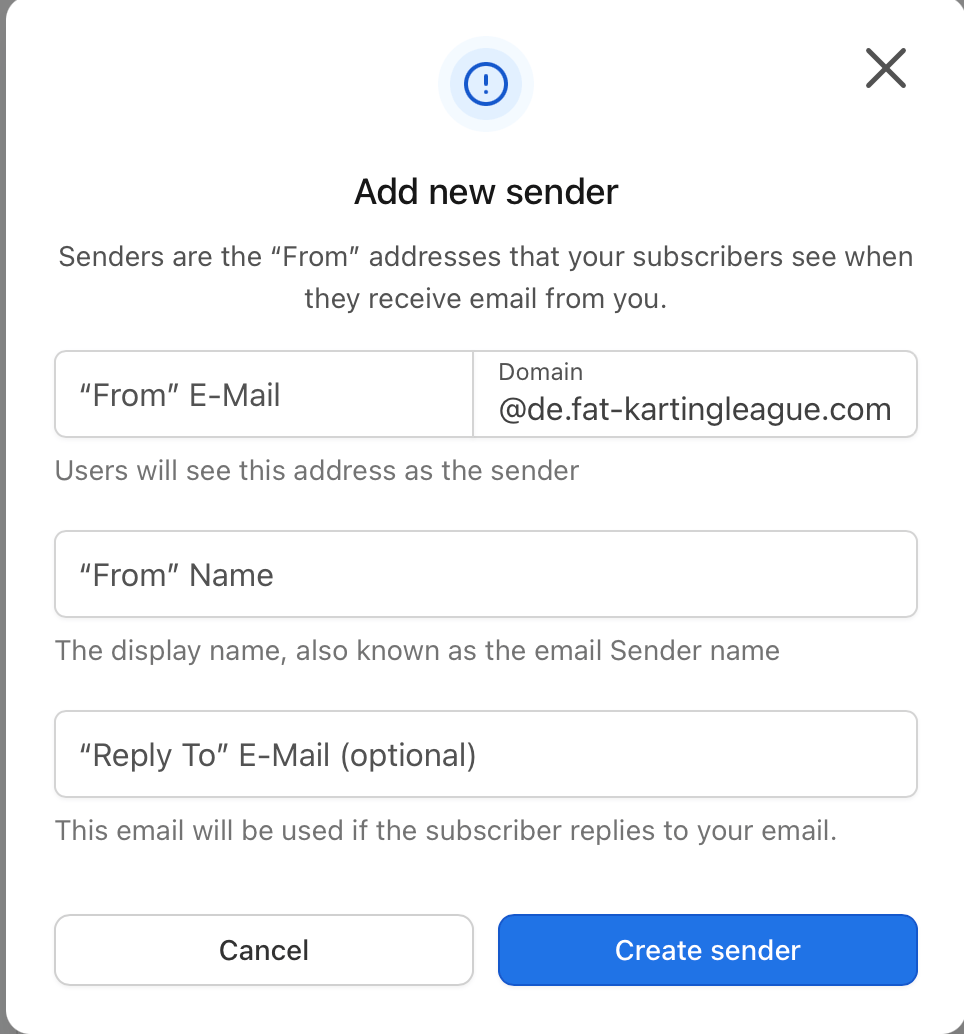
On the verified domain, click **Add sender**.
Complete the fields as follows:
| Field | Value |
| ----------------- | ------------------------------------------------------------------------------------------------------ |
| "From" E-Mail | `hello` (the `@.fat-kartingleague.com` domain is filled automatically and cannot be changed) |
| "From" Name | `FAT Karting League` |
| "Reply To" E-Mail | `hello@fat-kartingleague.com` |
Click **Create sender**.
In [GoDaddy](https://dcc.godaddy.com/), open the DNS management for `fat-kartingleague.com` and add both records exactly as Vivenu provides them:
| Record | DNS Record Type | Hostname | Value |
| ---------- | --------------- | ---------------------------------- | ------------------------------------ |
| DKIM | TXT | `._domainkey.` | The `k=rsa; p=...` value from Vivenu |
| ReturnPath | CNAME | `pm-bounces.` | `pm.mtasv.net` |
Omit the `.fat-kartingleague.com` part from each Hostname. GoDaddy appends the root domain automatically, so the fully qualified records resolve to `._domainkey..fat-kartingleague.com` and `pm-bounces..fat-kartingleague.com`.
Back in Vivenu, click **Verify** to request verification. DNS changes can take time to propagate, so if verification does not succeed immediately, wait and try again until the domain shows **VERIFIED**.
***
## Adding a Sender
Once the domain is verified, add a sender address within it.
On the verified domain, click **Add sender**.
Complete the fields as follows:
| Field | Value |
| ----------------- | ------------------------------------------------------------------------------------------------------ |
| "From" E-Mail | `hello` (the `@.fat-kartingleague.com` domain is filled automatically and cannot be changed) |
| "From" Name | `FAT Karting League` |
| "Reply To" E-Mail | `hello@fat-kartingleague.com` |
Click **Create sender**.
 ***
## Setting the Primary Sender
Under **Primary sender**, open the **E-Mail Senders** dropdown and change it from the default to the sender you just created.
Click **Save**. The primary sender should now read `FAT Karting League .fat-kartingleague.com>`.
***
## Setting the Primary Sender
Under **Primary sender**, open the **E-Mail Senders** dropdown and change it from the default to the sender you just created.
Click **Save**. The primary sender should now read `FAT Karting League .fat-kartingleague.com>`.